



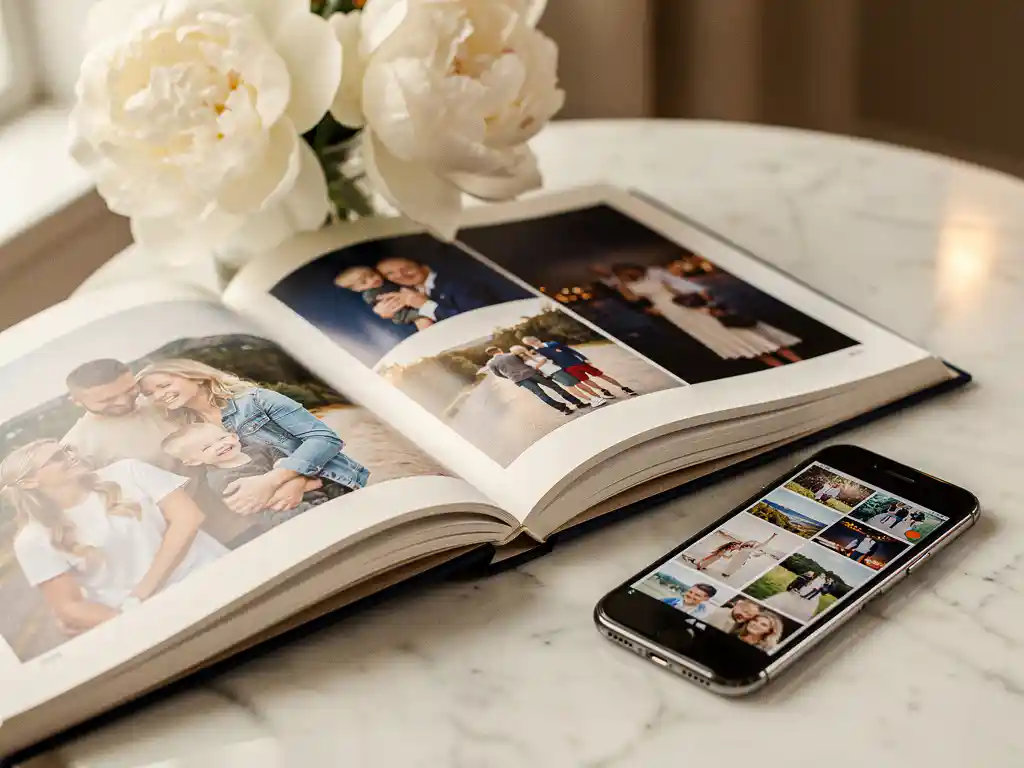
Creating a photo book that looks professionally made comes down to three things: photo selection, layout, and storytelling. The best-looking photo books use a curated set of high-quality images, arrange them in a logical sequence that follows the natural arc of an event or time period, and apply consistent formatting throughout. You don’t need design skills to achieve this. The right approach or tool handles the layout for you.
Dein Handy ist voller toller Fotos, die du niemals wirklich ausdrucken wirst
Most people have thousands of photos sitting on their phones, never organized, never printed. The problem isn’t that the photos aren’t good enough. It’s that sorting through them feels overwhelming. When you can’t decide where to start, you don’t start at all. The fix is to stop thinking about all your photos at once. Narrow your focus to a single event, trip, or time period. That constraint makes the task manageable and almost always produces a better photo book, too.
Der Versuch, ein Fotobuch von Grund auf neu zu gestalten, verzögert das fertige Produkt
Blank-page design tools give you complete control, but that’s exactly the problem. When you’re responsible for every layout decision, from spacing to page balance to photo sizing, the process drags on for days or weeks, and the result often looks inconsistent. Most people aren’t trained designers, and it shows. A smarter approach is to start with a tool that handles the layout for you, so you can focus on which memories go in, not how to arrange pixels on a page. Our Fotobuch-App does exactly that: you choose your photos, and the app lays them out into a book.
Was lässt ein Fotobuch professionell aussehen?
Ein professionell gestaltetes Fotobuch hat drei Qualitäten: durchgängig konsistente Fotoqualität, ein Layout, das jedem Bild den richtigen Raum gibt, und einen klaren erzählerischen Fluss. Die Fotos sind gut belichtet und scharf, nicht verschwommen oder schlecht beschnitten. Die Seiten sind nicht überladen. Die Reihenfolge der Bilder erzählt eine Geschichte, anstatt zufällig zu wirken.
Beyond image quality, the cover matters more than most people realize. A strong cover photo, one that captures the mood of the whole book, sets expectations and makes the book feel intentional from the first moment someone picks it up.
Typography and captions also contribute. Short, well-placed captions that add context without cluttering the page give the book a finished, editorial feel. You don’t need many of them. Even a date or a location name goes a long way.
Wie wählt man die richtigen Fotos für ein Fotobuch aus?
Choose photos that are sharp, well lit, and emotionally meaningful. Aim for variety: wide shots that establish a scene, close-ups that capture detail or expression, and candid moments alongside posed ones. Remove duplicates and near-identical shots. A tighter selection of 30 strong images beats 100 mediocre ones every time.
Eine praktische Regel: Wenn ein Foto dich nicht berührt oder dir etwas über den Moment erzählt, lass es weg. Unscharfe Aufnahmen, Fotos, bei denen jemand die Augen geschlossen hat, und fast identische Bilder aus derselben Serienaufnahme verwässern die Gesamtqualität des Buches.
Denken Sie an die Geschichte, die Sie erzählen. Sie wollen ein einleitendes Bild, das die Szene setzt, einen Mittelteil, der die Textur des Erlebnisses einfängt, und ein abschließendes Bild, das mit emotionaler Wirkung ankommt. Diese Struktur gilt, egal ob Sie ein Weihnachtsbuch, das erste Lebensjahr eines Babys oder ein Familienzusammenkunftsalbum erstellen.
What’s the difference between DIY and app-assisted photo book creation?
DIY photo book creation requires you to manually select photos, arrange layouts, and make every design decision yourself. With an app that assists you, you stay in control of which photos go in, while the app does the layout work. The end result can look just as polished; the difference is hours of work versus minutes.
With a fully DIY approach, the quality of the finished book depends entirely on the time and design judgment you bring to it. This works well for people who enjoy the process or have a very specific vision. For everyone else, it’s a barrier that stops the book from ever getting made.
With the PastBook app, you pick your own photos, or let the app help you find them by trip, date range, location, or album. The app then lays your selected photos out into a book, so pages are balanced without you having to think about it. You can review the result, make any changes you want, and order.
Wie arrangiert man Fotos in einem Buch, damit sie eine Geschichte erzählen?
Arrange photos chronologically within the event or time period, with a clear beginning, middle, and end. Open with an establishing image, build through the key moments, and close with something that captures the emotional peak or a quiet, reflective moment. Avoid jumping back and forth in time, since it breaks the narrative.
Betrachten Sie jede Doppelseite als ein Kapitel. Zusammengehörige Momente gehören zusammen. Wenn Sie ein Urlaubsbuch erstellen, gruppieren Sie den Reisetag getrennt von den Strandtagen und die Strandtage getrennt vom Abschlussabendessen. Diese Gruppierung verleiht dem Buch Rhythmus und lässt es durchdacht wirken.
Variieren Sie Ihre Seitenlayouts, um dem Gewicht jedes Augenblicks gerecht zu werden. Ein einzelnes, bildschirmfüllendes Foto eignet sich gut für ein herausragendes Bild. Ein Raster kleinerer Fotos eignet sich für eine geschäftige, energiegeladene Szene. Indem Sie Ihren besten Fotos mehr Raum geben, signalisieren Sie dem Leser, dass dieser Moment wichtig ist.
Welche Fotobuchgröße und welches Format sollten Sie wählen?
We make landscape hardcover photo books in two sizes. The Small Hardcover is 8.5″ × 6″ (A5), and the Large Hardcover is 12″ × 8.5″ (A4). Both are printed on FSC-certified paper and shipped in recyclable packaging. Choose the small size for everyday memories or a simple gift, and the large size for travel and milestone books meant to sit on a coffee table.
The Small Hardcover starts at $19.99 and the Large Hardcover at $34.99. The price includes the first 24 pages, and extra pages cost $0.40 per page for the small book and $0.55 per page for the large book. You can find full pricing for your currency on our pricing and shipping page.
For gifting, the large hardcover makes the biggest impression. The physical weight and size of the book communicates effort and care before the recipient even opens it. If you need it by a specific date, we recommend ordering at least two weeks beforehand.
Wie erstellt man ein Fotobuch in weniger als einer Stunde?
To make a photo book in under an hour, use an app that handles the layout for you. Pick a specific time period or event rather than your entire photo library, choose your photos, let the app lay them out, review and adjust as needed, then place your order. The whole process takes minutes, not hours.
The biggest time sink in photo book creation is decision fatigue: going back and forth on how to arrange everything. Letting the app build the layout cuts the process down dramatically. You’re editing, not building from scratch.
- Wählen Sie ein bestimmtes Ereignis, eine Reise oder einen Datumsbereich aus, von dem aus Sie arbeiten möchten
- Select your photos, or let the app help you find them by trip, date range, location, or album
- Let the app lay your photos out into a book
- Review the book and swap, add, or remove photos and pages as you like
- Geben Sie Ihre Bestellung auf
Most people find that once the layout is done, they only need to make a handful of changes. The hard work is already done.
Wie PastBook Ihnen hilft, ein Fotoalbum zu erstellen, das professionell aussieht
We built PastBook to solve the problem that stops most people from ever printing their photos: the process is too slow, too complicated, and too easy to put off. Our app to preserve your memories removes the barriers between your camera roll and a finished, beautifully designed photo book.
- You choose the photos: Pick your own photos from your phone’s camera roll on iOS or Android, or let the app help you find them by trip, date range, location, or album.
- Automatic layout: Once you’ve chosen your photos, the app arranges them into a book with balanced pages and consistent design throughout.
- Full customization: Before you order, you can swap or add photos, remove pages, change the cover, and add captions.
- Contributions from friends and family: With the Contribution feature, friends and family can add their photos to the same book.
- Printed and shipped to you: Choose your size, place your order, and our local printing partner prints your hardcover book and ships it to you.
Das Ergebnis sieht aus, als hättest du wochenlang daran gearbeitet. In Wirklichkeit hat es Minuten gedauert. Bist du bereit, deine Fotos in etwas zu verwandeln, das es wert ist, aufbewahrt zu werden? Erstellen Sie noch heute Ihr Fotobuch mit PastBook.