








You can create a photo book from your phone using a dedicated photo book app that connects to your camera roll. The app automatically selects your best photos, arranges them in a designed layout, and lets you order a printed copy for delivery. The whole process takes just a few minutes from start to finish, and some apps can generate a complete, print-ready book in under 60 seconds.
Your camera roll is full of photos you will never actually look at again
Most people take hundreds of photos every month and almost never revisit them. They sit in a camera roll that grows larger every year, buried under screenshots and duplicates, and slowly become impossible to sort through. The memories are there, but they are effectively lost because there is no organised format that makes them easy to access or share. Turning those photos into a printed photo book to preserve memories is one of the most practical ways to make them visible again. You do not need to sort every image or design anything from scratch. A good photo book app does the heavy lifting and gives those moments a physical, lasting format.
Waiting for the “right time” to organise your photos means it never happens
Photo organisation is one of those tasks that feels too big to start and too easy to postpone. A holiday from two years ago is still sitting unsorted. A birthday party folder exists somewhere but has never been touched. The longer you wait, the harder it feels to go back. The most effective fix is not a dedicated organisation session but a faster, lower-effort approach: pick a specific trip or time period, let an app build the book automatically, and order it. One defined project is far easier to complete than the open-ended task of “organising all your photos.”
What is a phone photo book and why should you make one?
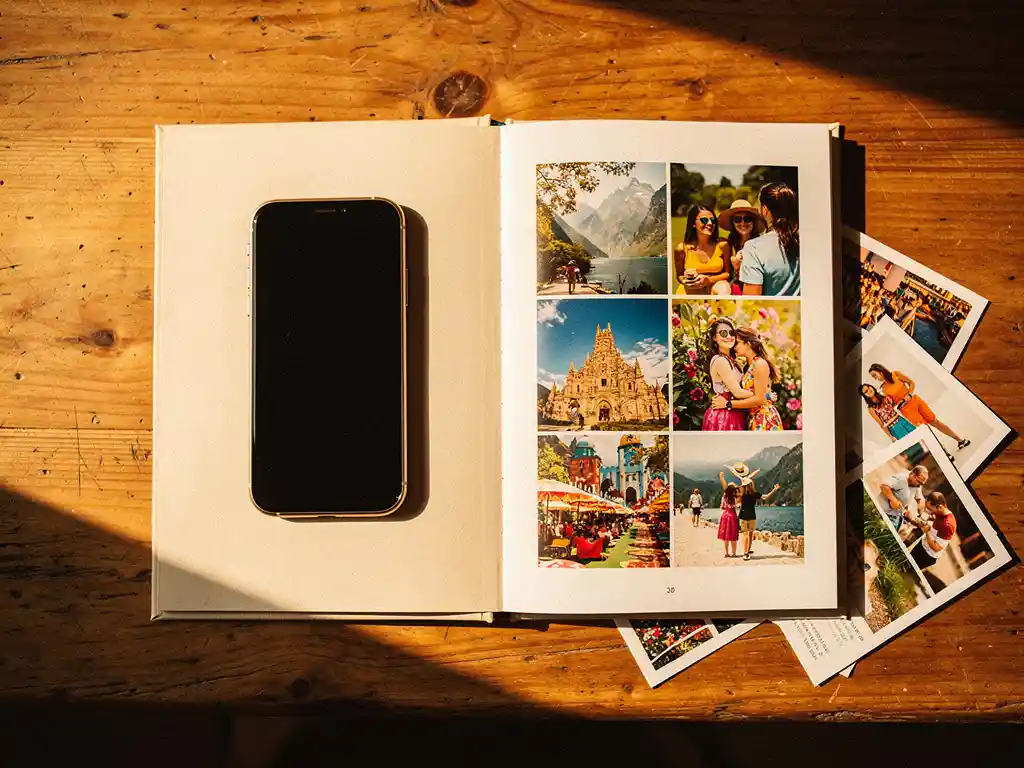
A phone photo book is a professionally printed photo album created directly from the photos stored on your smartphone. Instead of uploading files from a computer or visiting a print shop, you select photos from your camera roll through an app, which arranges them in a designed layout and sends the order to a printer for delivery to your door.
The case for making one is straightforward. Digital photos are fragile in a practical sense: apps change, storage gets lost, and phone screens are not the same as holding something physical. A printed photo book gives your memories a permanent, shareable format that does not depend on a platform or a battery charge.
Phone photo books are especially useful for capturing defined moments: a holiday, a year with a new baby, a birthday, or a family gathering. Because your phone is always with you, it already holds the photos that matter most. A photo book turns that existing collection into something you can keep, display, or give as a gift.
What app do you use to make a photo book from your phone?
Several apps let you create a photo book from your phone, including Shutterfly, Chatbooks, Motif, and PastBook. The right choice depends on how much control you want over the design process. Some apps require you to place photos manually; others use AI to build the entire book automatically from your camera roll with minimal input from you.
Apps broadly fall into two categories. Manual apps give you full control over layout, page design, and photo placement. They suit people who enjoy the design process and want a highly customised result. The trade-off is time. Creating a book this way can take hours.
Automatic apps scan your camera roll, select the best photos for a chosen date range or album, remove duplicates, and generate a complete layout without you placing a single image. These are the better option if you want a finished book quickly or if you find the design process frustrating.
When comparing apps, check whether the photo book app works on iOS and Android, what print sizes and formats are available, how much customisation is possible after the automatic layout is generated, and what the total cost, including shipping, looks like before you commit.
How do you create a photo book from your phone step by step?
To create a photo book from your phone, download a photo book app, choose a time period or set of photos from your camera roll, let the app generate a layout, review and adjust it if needed, select your book size and format, and then place your order. Most apps complete the automatic layout in under a minute.
- Download a photo book app from the App Store or Google Play and create a free account.
- Choose your photos by selecting a date range, a specific trip the app detects automatically, or an album from your camera roll. Some apps also let you pick photos individually.
- Let the app build the layout. AI-powered apps scan your selection, remove duplicates and low-quality shots, and arrange the remaining photos into a designed layout automatically.
- Preview and adjust. Review the generated book. Most apps let you swap photos, reorder pages, or make small edits before finalising.
- Choose your format. Select the book size, cover type (hardcover or softcover), and number of pages.
- Place your order. Enter your delivery address and payment details. The book is printed and shipped directly to you or to a gift recipient.
The main decision point is step two. If you pick a well-defined time period, such as a week-long holiday or a single month, the app has a clear, manageable set of photos to work with. The more focused your selection, the better the automatic result tends to be.
What photos work best in a phone photo book?
Photos that work best in a phone photo book are sharp, well lit, and taken in good natural light. Horizontal shots tend to fill page layouts more naturally than vertical ones. Candid moments, group shots, and photos with clear subjects generally produce better-looking printed pages than blurry action shots or dark indoor photos taken without flash.
Resolution matters more in print than on a screen. A photo that looks fine on your phone display may appear soft or grainy when printed at a larger size. Most modern smartphones produce images with enough resolution for standard photo book sizes, but very old photos transferred from older devices may not hold up as well in larger formats.
Which photos should you leave out?
Screenshots, memes, and photos of documents rarely belong in a photo book. The same applies to near-identical shots taken in burst mode. If you took ten photos of the same moment, one or two will represent it better than including all of them. AI-powered apps handle this automatically by detecting and removing duplicates. If you are selecting photos manually, be strict: fewer, stronger images produce a better book than pages crowded with similar shots.
How long does it take to make a photo book from your phone?
Creating a photo book from your phone takes between one minute and several hours, depending on the app and how much manual design work is involved. Apps with automatic AI layout generation can produce a complete, print-ready book in under 60 seconds once you have selected your photos. Manual design apps require significantly more time.
After you place your order, production and shipping typically add between five and ten business days, though this varies by printer, destination country, and the shipping option you choose. Some services offer express production for an additional cost.
If you are working to a deadline, such as a birthday or holiday gift, factor in both the design time and the delivery window. Ordering at least two weeks before you need the book gives you a comfortable buffer in most cases.
How much does it cost to print a photo book from your phone?
A printed phone photo book typically costs between $15 and $60, depending on the size, number of pages, cover type, and the service you use. Smaller softcover books with fewer pages sit at the lower end. Larger hardcover books with more pages cost more. Shipping is usually charged separately and varies by location.
Most photo book apps offer a free preview so you can see the finished layout before paying. This is worth using before committing to a purchase, especially if you are ordering for the first time and want to check the page count and photo quality.
Seasonal promotions are common in this category, particularly around the holidays, Valentine’s Day, and Mother’s Day. If you are not in a rush, waiting for a discount code can reduce the cost noticeably. Many apps also offer a first-order discount to new customers.
How PastBook makes it easy to create a photo book from your phone
We built PastBook specifically to remove the friction from creating a photo book on your phone. Our app is available on both iOS and Android and connects directly to your camera roll. Here is how it works:
- AI-powered photo selection: Our app scans your camera roll, detects trips and moments using photo metadata, removes duplicates, and automatically selects the best shots.
- Multiple ways to choose your photos: Pick a date range, let the app detect a trip automatically, select a specific album, or choose photos individually. The layout is always handled for you.
- Free preview in under 60 seconds: You can see your complete photo book before you pay a single cent.
- Customisation before you order: Swap photos, adjust pages, or leave it exactly as the AI arranged it. The choice is yours.
- Worldwide printing and delivery: We work with a network of international printers to ship your finished book wherever it needs to go.
Whether you are preserving a holiday, documenting a year of family milestones, or putting together a gift that looks like it took weeks, PastBook gets you from camera roll to a print-ready book in under a minute. Start your free photo book preview on PastBook today.