











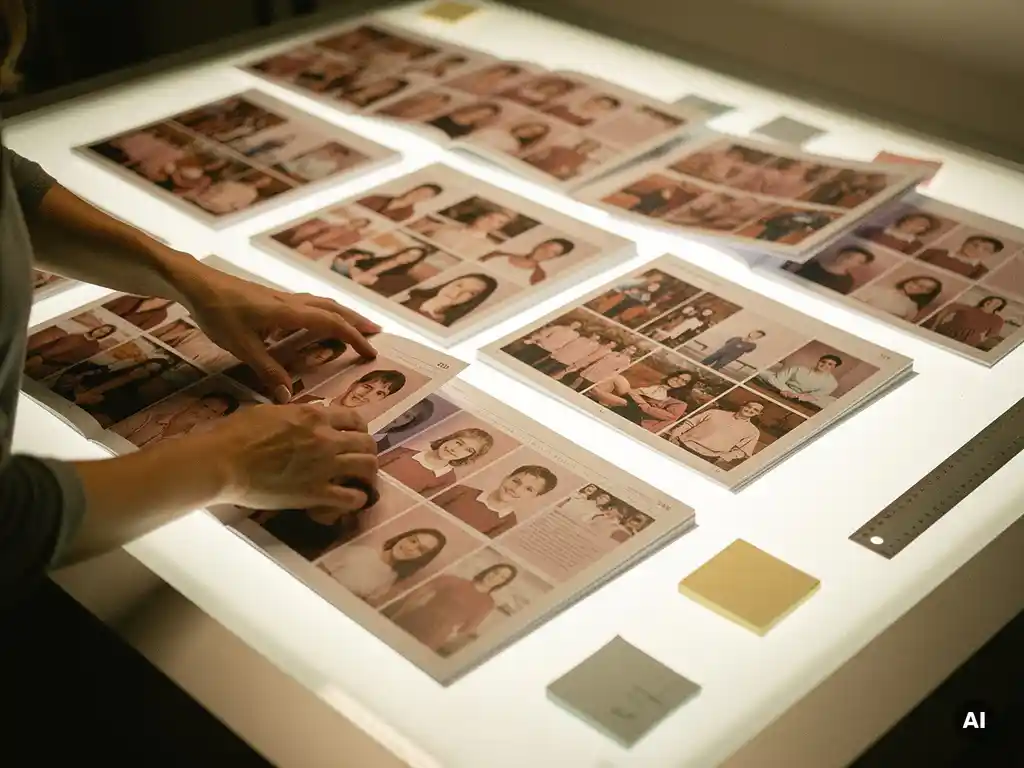
Yearbook editors organize pages effectively by following a structured editorial system built around a master ladder, clear section ownership, consistent design rules, and firm deadline schedules. The most successful teams plan every spread before a single photo is placed, so the finished book tells a coherent story from cover to cover. Below, you will find direct answers to the most common questions about how yearbook editors keep their pages organized, on time, and visually consistent.
What system do yearbook editors use to plan page spreads?
Yearbook editors use a planning tool called a ladder diagram to map every page spread before production begins. The ladder is a visual outline of the entire book, showing which content goes on which pages, how many spreads each section receives, and how the book flows from opening to closing. It is the single most important organizational tool in yearbook design.
A ladder diagram typically looks like a grid or checklist, with each row representing a two-page spread. Editors assign a topic, section, and responsible team member to each spread at the very start of the production cycle. This prevents duplicate coverage, identifies gaps early, and ensures that high-priority content like graduation ceremonies or championship games receives proportional space.
Beyond the ladder, many yearbook editors also create a coverage plan, which is a more detailed document listing the specific events, people, and stories each spread must include. Together, the ladder and coverage plan give the editorial team a shared map of the finished book so that individual contributors can work on their sections without creating inconsistencies in the overall structure.
How do yearbook editors divide content into sections?
Yearbook editors divide content into sections by grouping related events, subjects, or audiences together and assigning each group a defined page range. Common sections include student life, academics, sports, clubs and organizations, and portraits. Each section functions as a mini-publication within the larger book, with its own opening spread, body spreads, and sometimes a closing page.
The size of each section is usually determined by the volume of content and the relative importance of that subject to the school community. A school with a strong athletics program might allocate more spreads to sports, while a performing arts school might expand the arts and clubs section. Editors make these allocation decisions early, often before the school year begins, so contributors know exactly how much space they have to fill.
Dividing content into clear sections also makes it easier to assign ownership. When each section has a dedicated editor or small team, accountability is built into the structure from the start. No spread is left unclaimed, and no topic accidentally receives double coverage.
What are the rules for consistent yearbook page design?
Consistent yearbook page design depends on a shared style guide that defines typography, color palette, photo treatment, caption format, and margin rules for the entire book. Every spread must follow these standards so the finished yearbook reads as a unified publication rather than a collection of individually designed pages. Consistency is what separates a professional-looking yearbook from one that feels disjointed.
The most important design rules typically cover the following areas:
- Typography: No more than two or three typefaces throughout the entire book, with defined sizes for headlines, body copy, and captions
- Color palette: A fixed set of school colors or brand colors applied consistently across all sections
- Photo sizing: Rules about dominant photos, secondary photos, and minimum image sizes to prevent pixelated or undersized prints
- White space: Defined margins and gutters so spreads do not feel cluttered or cramped
- Caption style: A standard format for identifying people in photos, including name order and punctuation conventions
Enforcing these rules is as important as creating them. Experienced yearbook editors review every spread against the style guide before approving it for print, catching inconsistencies before they become permanent.
How do editors assign and track coverage responsibilities?
Yearbook editors assign coverage responsibilities by matching specific events or spreads to individual staff members or small teams, then tracking progress using a coverage checklist tied to the master ladder. Each assignment specifies what content is needed, how many photos are required, who is responsible, and when the spread is due. This system ensures that every part of the school year is documented and that no single contributor is overwhelmed.
Tracking works best when the entire team uses a shared document or project management tool that everyone can update in real time. A simple spreadsheet with columns for spread topic, assigned editor, photo status, copy status, and approval status gives the editor-in-chief an instant overview of where the book stands at any given moment.
Regular check-ins, whether weekly staff meetings or brief daily updates, keep assignments moving and surface problems early. If a photographer misses an event or a writer falls behind, the editor can reassign or adjust the coverage plan before the deadline becomes a crisis.
What’s the best way to meet yearbook deadlines without errors?
The best way to meet yearbook deadlines without errors is to work backward from the final print submission date and set internal deadlines for each section that build in time for review and corrections. A buffer of at least one to two weeks before the printer’s deadline gives editors room to catch mistakes, fix layout issues, and request missing content without rushing.
Effective deadline management also requires a multi-stage review process for every spread:
- First draft review: Check that all required photos and copy are present and that the layout follows the style guide
- Copy editing pass: Proofread all text for spelling, grammar, and factual accuracy, especially names and dates
- Photo quality check: Confirm that all images meet the resolution requirements for print
- Final approval: A senior editor or adviser signs off on each spread before it is submitted
One of the most common sources of errors in school yearbooks is rushing the final review because earlier deadlines slipped. Protecting the review stage by treating internal deadlines as firm commitments is the single most effective habit a yearbook team can develop.
How do digital tools change how yearbook pages are organized today?
Digital tools have transformed yearbook organization by replacing paper ladders and physical proofs with cloud-based platforms where entire teams can plan, design, and review spreads simultaneously from different locations. Modern yearbook software allows editors to assign spreads, track completion status, share templates, and submit pages to a printer without printing a single physical proof. The result is a faster, more collaborative, and more accurate production process.
Cloud-based design platforms also make it easier to maintain consistency. When templates and style assets live in a shared workspace, every team member works from the same approved building blocks, reducing the risk of off-brand fonts or incorrect color values appearing in the final book.
Photo management has also improved significantly. Digital tools allow editors to upload, tag, and search large photo libraries quickly, making it easier to find the right image for each spread without manually sorting through hundreds of files. Some platforms even flag low-resolution images before they reach the layout stage, catching a common and costly error early in the process.
For teams organizing personal memory collections outside of a school context, AI-powered tools have made the process even more effortless by automatically selecting the best photos, removing duplicates, and arranging them into polished layouts without any manual design work.
How PastBook helps you organize and preserve your photo memories
While yearbook editors work with structured editorial systems, most people organizing personal photo collections simply want a beautiful result without the complexity. That is exactly what we built PastBook to deliver. Here is how we make it effortless:
- Selezione foto basata sull'IA: Our platform automatically picks your best photos, removes duplicates, and filters out low-quality images so you never have to sort manually
- Instant layouts: In under 60 seconds, your photos are arranged into a beautifully designed book, ready to review and customize
- Formati flessibili: Choose from softcover, hardcover, or premium hardcover in A4 or A5, with anywhere from 6 to 500 pages printed on FSC-certified premium paper
- Spedizione in tutto il mondo: We print and ship globally through a network of local printing facilities, so your book arrives quickly wherever you are
- Origini multiple di foto: Import directly from your phone, Google Drive, Dropbox, Facebook, or Instagram
Whether you want to capture a year of memories, a family holiday, or a milestone moment, we make it simple to go from scattered digital photos to a stunning printed keepsake. Create your photo book with PastBook today and hold your memories in your hands.
Articoli Correlati
- Why do some holidays feel impossible to forget or move on from?
- What are the best photo gifts to give family at Thanksgiving in 2026?
- How do you write memorable senior quotes for a yearbook?
- Qual è il miglior regalo da fare dopo una vacanza?
- Qual è la differenza tra un diario di viaggio e un blog di viaggio?