











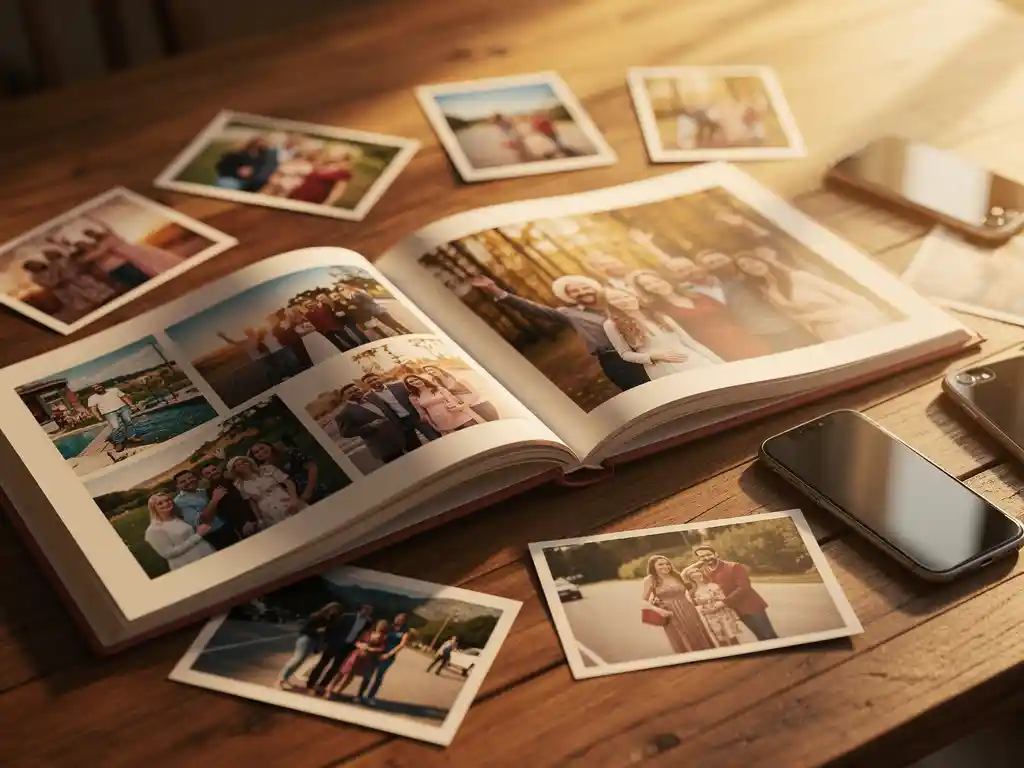
Yes, you can absolutely create a photo book from multiple people’s photos. The most straightforward way to do this is with a collaborative photo book app that lets contributors add their images directly to a shared album. Once everyone’s photos are collected in one place, the album can be turned into a printed photo book. This makes group photo books a natural fit for shared events like weddings, family reunions, or group holidays.
Scattered photos across different phones are killing your group memories
After every group event, the same thing happens: dozens of great photos are spread across five different phones, and nobody ever sees most of them. The person who organised the trip has their shots, someone else captured the best candid moments, and another friend got the only decent group photo. Without a system to bring those images together, most of them disappear into camera rolls and are never seen again. The fix is simple in principle: designate one shared space where everyone drops their photos before the event fades from memory. A collaborative album—whether through a dedicated app or a shared folder—solves this immediately.
Waiting for everyone to send their photos is what stops group photo books from ever getting made
The idea of making a group photo book almost always sounds great right after the event. Then the coordination begins: chasing people on WhatsApp, waiting for someone to finally send their photos, dealing with files that are too large to share—and by the time everything arrives, the motivation is gone. This is why most group photo books never get made: not because the idea is bad, but because the collection process is too slow and too manual. The solution is to use a tool that lets contributors add their own photos directly, rather than funnelling everything through one person. When the friction disappears from the collection step, the book actually gets finished.
Can you make a photo book using multiple people’s photos?
Yes, you can create a photo book using photos from multiple people. The easiest approach is to use a collaborative photo book app that lets you invite contributors to add their own images to a shared album. Once the photos are gathered, the app arranges them into a layout, and the book can be ordered for printing.
This is particularly useful for events where different people captured different moments. A wedding, for example, might include photos from the couple, family members, and friends. A group holiday produces shots from everyone on the trip. Pulling all of those images together into one printed photo book creates something far richer than any single person’s camera roll could produce on its own.
The key is choosing a platform that makes contributing genuinely easy. If contributors have to download an app, create an account, and navigate a complex interface, most of them won’t bother. Look for tools where the invitation is a single link and adding photos takes less than a minute.
How do you collect photos from multiple people for a photo book?
The most reliable way to collect photos from multiple people for a photo book is to use a shared album or a collaborative feature within a photo book app. You send contributors a link, they upload their photos directly, and everything lands in one place without you having to chase anyone for files.
Other common methods include shared cloud folders like Google Drive or Dropbox, or a group chat where everyone sends their best shots. These options work, but they add extra steps: you still have to download everything, sort through it, and manually import it into a photo book tool. A purpose-built collaborative album skips all of that.
Whichever method you use, it helps to set a clear deadline for contributions. Open-ended requests tend to drag on. Tell people they have a week to add their photos, and most will do it. Without a deadline, it becomes one of those things everyone intends to do but never quite gets around to.
What’s the best app for creating a group photo book?
The best app for a group photo book is one that combines a genuinely collaborative contribution feature with automatic layout and ordering in one place. You want contributors to be able to add photos with minimal friction, and you want the finished book to require as little manual design work as possible from the organiser.
When evaluating apps, look for these features:
- A simple invitation system, ideally a shareable link rather than requiring contributors to create accounts
- Automatic photo selection and layout, so you are not manually placing every image
- Duplicate removal and quality filtering, which matters when multiple people are uploading similar shots of the same moment
- Direct ordering and printing from within the photo book creation app, with worldwide delivery
Apps that handle the layout automatically are especially valuable for group books, because the volume of photos coming in from multiple contributors can quickly become overwhelming to organise manually.
Who should be in charge of making the group photo book?
One person should take ownership of the group photo book from start to finish. This is usually the person who organised the event, the most motivated person in the group, or whoever is giving the book as a gift. Shared responsibility rarely works in practice and often means the book never gets made.
That one person does not have to do all the work of gathering photos. Their job is to set up the shared album, send the contribution link to everyone involved, set a deadline, and then finalise the book once the photos are in. The heavy lifting of selecting and arranging photos should fall to the app, not the organiser.
For gifting occasions, the person making the book is often keeping it a surprise. In that case, they might selectively invite only a few trusted contributors who can be discreet, rather than broadcasting the link to the entire group.
What occasions are group photo books perfect for?
Group photo books work best for shared experiences where multiple people were present and capturing moments. Weddings, milestone birthdays, group holidays, family reunions, and end-of-year celebrations are the most common occasions, because everyone has photos worth including and the resulting book means something to everyone involved.
Some of the most popular use cases include:
- Weddings: Guests capture candid moments the official photographer misses. A collaborative book from friends and family alongside the couple’s own photos tells a fuller story.
- Group holidays: Different people photograph different moments. One person gets the landscapes, another captures the meals, and someone else has the group shots. Together, they create a complete record of the trip.
- Milestone birthdays and anniversaries: Friends and family contributing their favourite memories of the person being celebrated makes for a deeply personal gift.
- Baby showers and new arrivals: Family members from different households each have their own photos from the early months. A combined book is a meaningful keepsake.
- School and sports events: Parents at the same events often capture different moments. A shared book at the end of the season or school year works well as a group gift for a coach or teacher.
How do you make a group photo book without the hassle?
The simplest way to make a group photo book without the hassle is to use an app that handles photo collection, selection, and layout automatically. You invite contributors, they add their photos, and the app builds the book for you. Your job is to approve the result and place the order.
The steps that tend to cause the most frustration when making group photo books are collecting photos from multiple people, sorting through duplicates and low-quality shots, and manually arranging everything into a layout. Apps that automate these steps can cut the process from hours to minutes.
A few practical tips that make the process smoother:
- Set a firm deadline for contributions and communicate it clearly when you send the invitation link.
- Choose an app that filters out duplicates automatically, which is especially important when multiple people photograph the same moment.
- Order early if the book is a gift. Print and delivery times vary, and group books often take longer to finalise because you are waiting on contributors.
- Keep the contributor list manageable. More contributors means more photos, which can be overwhelming. Ten to fifteen people is usually plenty.
How PastBook makes creating a group photo book effortless
We built PastBook specifically to remove the friction from creating photo books, including group photo books. Our Contribution feature lets you invite friends and family to add their photos to a shared album with a single link. No complicated setup, no chasing people for files. Once the photos are in, our AI automatically selects the best shots, removes duplicates and low-quality images, and arranges everything into a beautifully designed layout in under 60 seconds.
- Collaborative album: Invite contributors via a shareable link and let everyone add their own photos directly
- AI-powered curation: Automatic duplicate removal and quality filtering across all contributed photos
- Instant layout: A print-ready photo book generated automatically, with no design skills needed
- Worldwide printing and delivery: Order directly from the app and have the finished book shipped to your door
- Available on iOS, Android, and web: Contributors and organisers can use whichever device works for them
Whether you are preserving a group holiday, putting together a meaningful birthday gift, or capturing a family reunion from every angle, we make it possible to create a photo book from multiple people’s photos without the usual back-and-forth. Download the PastBook app and start your group photo book today.
Related Articles
- What is the etiquette for giving gifts at a Thanksgiving celebration?
- What is the difference between a yearbook and a school magazine?
- What happens to someone's photos when their Facebook is deleted?
- How do you turn travel memories into a creative project?
- How do you create a photo book for grandparents?