



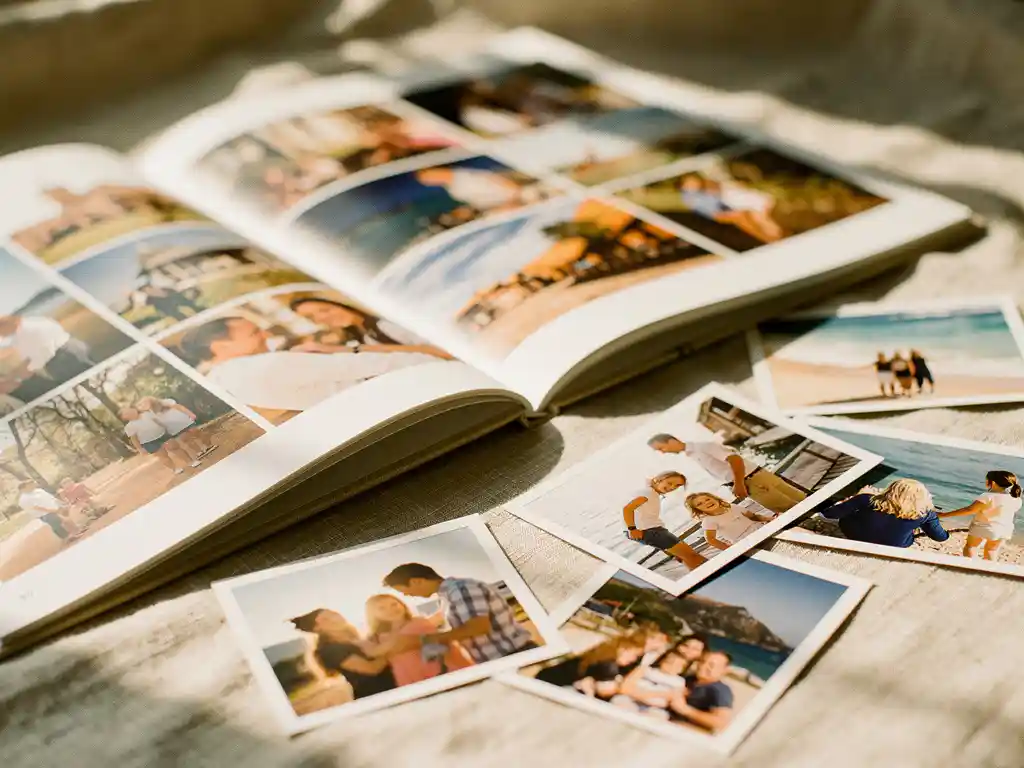
The best app to create a photo book in 2026 is one that makes the process simple, so your photos finally become something you can hold. You no longer need design skills or hours of free time. A good photo book app lets you pick the photos you love, lays them out for you, and gets you to a finished book in minutes.
Your phone is full of photos you’ll never actually do anything with
The average smartphone user takes thousands of photos every year. Most of them sit untouched in a camera roll that grows faster than anyone can manage. The problem is not that you don’t care about your memories. It’s that sorting and choosing photos feels like a project that needs a free afternoon that never arrives. The fix is not discipline or a better filing system. It’s an app that does the layout work for you, so all you have to do is choose the moments that matter.
Waiting for the “right time” to make a photo book means it never gets made
Most people mean to make a photo book from a holiday, a birthday, or a year of family moments. But the longer you wait, the harder it gets. The feeling fades, the photos blur together, and the task starts to seem bigger than it is. The best approach is to use an app that helps you find the photos from a trip or date range and lays them out right away, so getting started takes almost no effort.
What makes a great photo book app in 2026?
A great photo book app in 2026 helps you find your photos, lays them out automatically, and lets you order a printed book in one place. It works directly from your phone, gives you a quick preview, and lets you adjust the book before you order. The quality of the printed book matters, too.
Speed is a big differentiator. Apps that make you drag images into templates and design every page one at a time haven’t improved much on what you could do in a browser ten years ago. A better app lets you choose your photos, then builds the layout for you, so you start with a finished draft instead of a blank page.
Print quality and delivery are the other side of the equation. An app is only as good as the physical book it produces. Look for an app with clear pricing, a clear preview before you order, and reliable delivery to your country.
How does a photo book app actually work?
A photo book app works by letting you choose photos from your phone and then laying them out into a designed book. In our app, you can select photos yourself or let the app help you find them by trip, date range, location, or album. The app then arranges your selection into a book.
You stay in control throughout. You decide which moments go in the book, and the app takes care of the layout. Before you order, you can swap or add photos, remove pages, change the cover, and add captions. The key point is that you’re editing a finished draft rather than building from a blank canvas, which is a much faster experience.
Once you’re happy with the preview, you place your order. The book is printed by a local printing partner and shipped to you.
Which photo book app is the fastest to use?
The fastest photo book apps do the layout work for you, so you spend your time choosing photos instead of designing pages. Apps that let you pick a trip, date range, or album and then build the pages automatically are much quicker than those that make you place every photo by hand.
Speed comes down to how much the app does versus how much it asks you to do. Some apps offer templates and drag-and-drop tools, which give you control but add a lot of time. Others start with a finished layout and let you make adjustments, which is faster for most people who want a lovely result without spending an evening on it.
For a gift, or for capturing a recent trip before the feeling fades, a quick app is the most practical choice. The difference between a draft that’s ready in minutes and a two-hour manual project is often the difference between a photo book that gets ordered and one that stays on a to-do list forever.
What photo sources can you use for a photo book?
With PastBook, there are two ways to bring in your photos. In the app, you use photos from your phone’s camera roll on iOS or Android. If you’d rather start from Facebook, you can connect your own Facebook account on pastbook.com and choose a year to turn into a Facebook YearBook.
The camera roll is the most practical source, since most of your recent photos already live on your phone. Only the owner of a Facebook account can connect it, so a Facebook YearBook is always made from your own photos.
Our Contribution feature in the app also lets friends and family add their photos to the same book. This works well for group gifts and family events where several people took pictures.
Are photo book apps worth it as a gift?
Yes, a photo book makes a wonderful gift. A printed photo book is a personal, tangible gift that carries real emotional weight. With an app, the time you invest is small while the thought behind it shows, which makes it a great choice for birthdays, anniversaries, holidays, and milestones.
A photo book means so much because it is specific to the person you give it to. It holds real moments, real people, and a physical record of shared experiences. That’s what sets it apart from generic gifts, and it’s why photo books land well on almost any occasion.
The practical advantage of using an app is that most of the photos you need are already on your phone. A gift that might have taken hours to put together can come together in minutes when the app handles the layout. If you need the book by a specific date, we recommend ordering at least two weeks beforehand.
How do you choose the best photo book app for your needs?
Choose a photo book app based on four things: how much of the layout it does for you, which photo sources it supports, the quality of the printed book, and how much control you want over the final result. If speed and ease matter most, look for an app that lays out the pages for you. If you want to fine-tune every page, look for one with strong editing tools.
Start by thinking about how you’ll use it. If you want to preserve your memories with instant photo books from a recent trip or a year of family photos with minimal effort, an app that builds a draft for you is the right fit. If you enjoy designing and want to control every detail, a more manual tool may suit you better, though it will take much longer.
Think about the finished book as well. Read reviews about print quality and delivery times, not just the app experience. An app can be quick and easy to use but still produce a disappointing physical book. Look for clear pricing and a preview before you order.
- Layout help: Does the app build a draft layout for you, or do you have to place every photo yourself?
- Photo sources: Can it use the photos you actually have, such as your camera roll?
- Customization: Can you swap photos, remove pages, change the cover, and add captions before ordering?
- Print quality: What do customer reviews say about the physical book?
- Delivery: Does it ship to your location in a timeframe that works for you?
How PastBook makes it easy to create a photo book
We built PastBook to help the photos on your phone become something you can hold. Our photo book app for iOS and Android helps you turn your camera roll into a printed hardcover photo book, with no design skills needed. Here’s what the process looks like:
- You choose your photos: Select your own photos, or let the app help you find them by trip, date range, location, or album.
- Automatic layout: The app arranges your selected photos into a book for you.
- Easy changes before you order: Swap or add photos, remove pages, change the cover, and add captions.
- Contribution feature: Invite friends or family to add their photos to the same book, which is ideal for group gifts or events where several people were taking pictures.
- Printed near you: Your hardcover book is printed by a local printing partner and shipped to you.
Whether you want to preserve a recent holiday, remember a year of family milestones, or create a meaningful gift without spending hours on it, we make the process simple. Create your photo book with PastBook and see a preview before you order.
Related Articles
- What are the best gifts to send a family you cannot visit on Thanksgiving?
- How do you write about a trip to make the memory last longer?
- How do you use travel playlists to bring back holiday memories?
- What is a thoughtful gift for someone returning from a trip?
- What is the easiest way to create a photo book?