







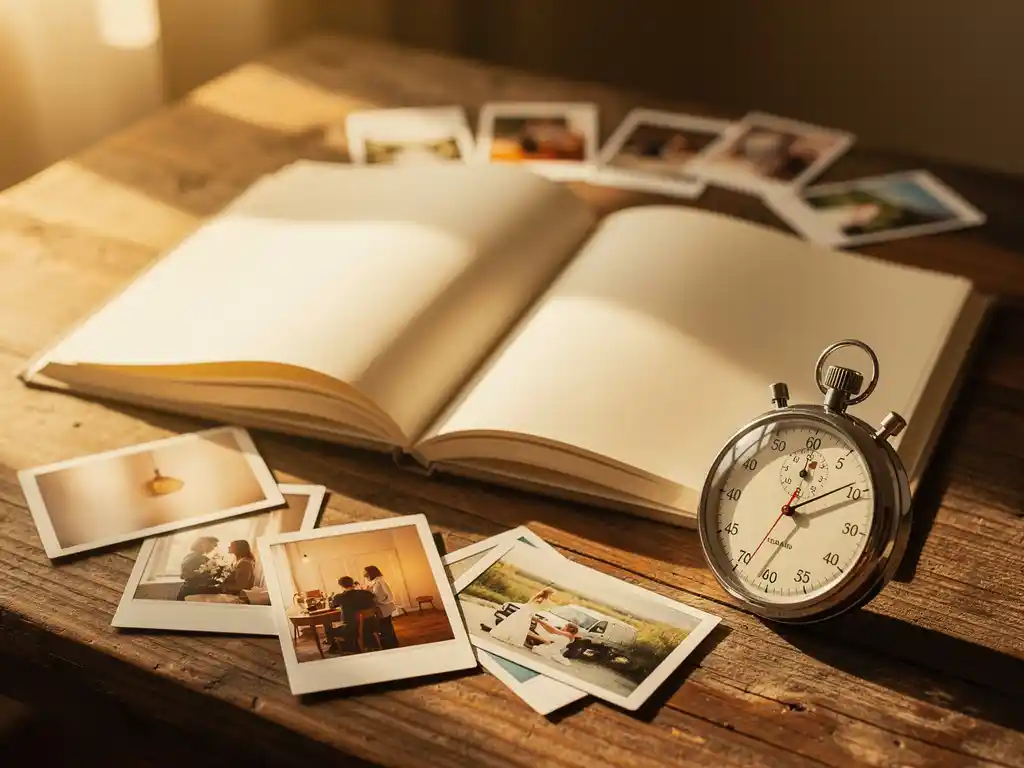
Ja, je kunt echt een fotoboek maken in minder dan 60 seconden. AI-gestuurde fotoboekplatforms hebben het mogelijk gemaakt om, vanuit een camerarol vol verspreide afbeeldingen, een drukklare, professioneel opgemaakte fotoboek te creëren in minder tijd dan nodig is om een kopje thee te zetten. Je selecteert een datumbereik of album, de AI doet de rest, en je krijgt een kant-en-klaar boek dat klaar is om te bestellen.
Je foto's stapelen zich op en je zult er nooit aan toe komen om ze te organiseren
De gemiddelde smartphonegebruiker maakt maandelijks honderden foto's. Op jaarbasis zijn dat duizenden afbeeldingen die onaangeroerd in een camerarol blijven staan, wat uitgroeit tot een overweldigend archief dat onmogelijk te sorteren lijkt. Hoe langer je wacht, hoe moeilijker het wordt. Momenten die levendig en belangrijk voelden, beginnen te vervagen, en de foto's die ze moesten bewaren, blijven begraven. De oplossing is niet om meer tijd te vinden om handmatig te organiseren. Het is om te stoppen met het behandelen van foto-organisatie als een taak die uw aandacht vereist. Het kiezen van een tool die het selectie- en lay-outproces automatiseert, betekent dat het boek nu wordt gemaakt, niet op een dag.
Wachten op het “juiste moment” om een fotoboek te maken betekent dat het er nooit van komt
De meeste mensen die een fotoboek willen maken, maken er nooit een af – niet omdat ze de foto's of de intentie niet hebben, maar omdat ze wachten op een vrij middag die nooit komt. Het traditionele proces van een fotoboek maken kost genoeg tijd dat het een serieuze inzet van uren vereist. Wanneer die inzet steeds wordt uitgesteld, sterft het project stil. De oplossing is om de lat lager te leggen voor wat er nodig is om te beginnen. Wanneer het proces minder dan een minuut duurt, is er geen reden om te wachten. De foto's van de vakantie van vorige zomer, het eerste jaar van je kind, of kerstmis van vorig jaar kunnen vandaag nog een afgemaakt boek worden.
Kun je echt een fotoboek maken in minder dan 60 seconden?
Ja. AI-gebaseerde fotoboektools kunnen een complete, drukklaar ontwerp in minder dan 60 seconden produceren. De AI scant uw foto's, selecteert de beste, verwijdert duplicaten en rangschikt ze automatisch in een ontworpen lay-out. U beoordeelt het resultaat, maakt eventuele gewenste wijzigingen en plaatst uw bestelling. De 60 seconden verwijzen naar de tijd vanaf het begin tot een afgewerkte preview, niet tot de levering.
Het sleutelwoord hier is automatisch. Traditionele fotoboektools vereisen dat u foto's naar lege pagina's sleept en neerzet, lay-outs kiest, de grootte aanpast en bijschriften één voor één schrijft. AI-gestuurde platforms keren dat proces volledig om. Het boek wordt eerst voor u gebouwd. U bewerkt een eindproduct in plaats van vanaf nul te beginnen, daarom daalt de tijd zo drastisch.
Het resultaat is ook geen ruwe versie. De AI analyseert de beeldkwaliteit, verwijdert onscherpe of bijna-dubbele opnamen en groepeert foto's op een manier die een samenhangend visueel verhaal vertelt. Wat je in de preview ziet, komt echt dicht in de buurt van wat er bij je thuiskomt.
Hoe maakt AI automatisch een fotoboek voor je?
AI creëert een fotoboek door uw afbeeldingen te scannen op kwaliteitssignalen, context uit metadata te detecteren, gerelateerde foto's te groeperen, duplicaten te verwijderen en de overgebleven opnamen te rangschikken in een ontworpen paginalay-out. Het hele proces draait op de achtergrond zonder enige invoer van u, behalve het kiezen van de foto's die u wilt opnemen.
De kwaliteitsanalyse is wat AI-curatie onderscheidt van willekeurige selectie. Het systeem kijkt naar factoren zoals scherpte, belichting en compositie om te bepalen welke foto's de moeite waard zijn om op te nemen. Wazige opnamen, bijna identieke duplicaten en per ongeluk gemaakte opnamen worden automatisch gefilterd.
Metadata verricht veel van het contextuele werk. De tijdstempels en locatiegegevens die aan uw foto's zijn gekoppeld, vertellen de AI wanneer en waar momenten plaatsvonden. Zo kan het systeem herkennen dat een reeks foto's van een specifieke week op een specifieke plek een vakantie vertegenwoordigt en aanbieden om een boek rond die reis te maken zonder dat u deze zelf hoeft te identificeren.
Nadat de selectie is gemaakt, rangschikt de AI foto's over pagina's met behulp van vooraf ontworpen lay-outs. Het balanceert het aantal foto's per pagina, houdt rekening met portret- en landschapsoriëntaties en produceert een resultaat dat doordacht oogt in plaats van willekeurig. U kunt foto's wisselen, dingen verplaatsen of achteraf bijschriften toevoegen, maar de meeste mensen vinden dat de eerste conceptversie heel weinig aanpassingen nodig heeft.
Wat maakt een fotoboek er goed uitzien zonder dat je er moeite voor hoeft te doen?
Een fotoboek ziet er moeiteloos goed uit wanneer drie dingen automatisch gebeuren: foto's van slechte kwaliteit worden verwijderd, vergelijkbare opnamen worden gefilterd tot de beste, en de resterende afbeeldingen worden geplaatst in lay-outs die passen bij hun oriëntatie en inhoud. Wanneer die stappen door AI worden afgehandeld, ziet het eindproduct er samengesteld uit, ook al is er geen handmatige samenstelling geweest.
De grootste visuele verbetering komt voort uit het verwijderen van de slechte foto's. De meeste mensen nemen te veel foto's op als ze handmatig bouwen, omdat het wegknippen voelt alsof je iets verliest. De AI heeft geen dergelijke aarzeling. Het behoudt de scherpste, best belichte afbeelding uit een reeks vergelijkbare opnamen en gooit de rest weg. Het resultaat is een boek waarin elke pagina foto's heeft die de moeite waard zijn om te bekijken.
Lay-outontwerp speelt ook een grotere rol dan de meeste mensen verwachten. Een professioneel ontworpen paginasjabloon verzorgt de spatiëring, marges en verhoudingen waardoor foto's er doelgericht uitzien in plaats van op een pagina te zijn geplaatst. Omdat de AI foto's koppelt aan geschikte lay-outvakken op basis van hun afmetingen en aantal, zien de pagina's er gebalanceerd uit zonder dat u enige ontwerpkennis nodig heeft.
Hoe lang duurt het werkelijk om een traditioneel fotoboek te maken?
Een traditioneel fotoboek kost doorgaans enkele uren om te voltooien en voor veel mensen spreidt het proces zich over meerdere sessies gedurende dagen of weken. Je begint met het selecteren van foto's, gaat door met de lay-outbeslissingen voor elke pagina, past de grootte en positionering aan, schrijft bijschriften en beoordeelt het geheel voordat je bestelt. Elke stap vereist actieve aandacht.
De selectiefase alleen al is waar de meeste mensen de vaart verliezen. Honderden of duizenden foto's doorzoeken om de juiste te vinden, en die vervolgens inkrimpen om op een specifieke paginagrootte te passen, kost enorm veel tijd. Ervaring in de branche leert dat de gemiddelde persoon meer tijd besteedt aan het selecteren van foto's dan aan al het andere in het proces.
Dan is er het lay-outwerk. Lege-pagina-editors vereisen dat u bepaalt hoeveel foto's op elke pagina komen, welk sjabloon u gebruikt en hoe u alles zo rangschikt dat het er goed uitziet. Als u nog nooit iets hebt ontworpen, is dit waar de frustratie begint. Kleine aanpassingen vermenigvuldigen zich snel over een boek van 30 of 40 pagina's.
Het verschil tussen een traditioneel fotoboek en een door AI gegenereerd exemplaar is niet marginaal. Het is het verschil tussen een project dat je blijft uitstellen en een project dat je vandaag afrondt.
Wanneer is het beste moment om een fotoboek te maken?
De beste tijd om een fotoboek te maken is onmiddellijk na het evenement of de periode die je wilt vastleggen, terwijl de foto's nog vers zijn en de herinnering nog levendig. Vakanties, verjaardagen, het eerste levensjaar van een kind en jaarlijkse mijlpalen zijn allemaal natuurlijke momenten. Hoe langer je wacht, hoe moeilijker het wordt om te onthouden welke foto's belangrijk zijn en waarom.
Reizen is een van de sterkste triggers. Op het moment dat je thuiskomt van een reis, staat je camerarol vol met de beste foto's die je van die ervaring zult maken. Wachten een paar maanden betekent dat die foto's begraven raken onder alles wat daarna komt, en de emotionele band met de reis vervaagt. Het maken van het boek binnen een dag of twee na terugkomst vangt dat gevoel voordat het verdwijnt.
Het einde van het jaar is weer een natuurlijk moment. Terugkijken op 12 maanden foto's brengt vaak momenten naar boven die je half vergeten was, en de nostalgische aantrekkingskracht van een eindigend jaar motiveert mensen meer om iets met die herinneringen te doen. Een jaaroverzicht fotoboek werkt goed als zowel een persoonlijk aandenken als een cadeau.
Buiten specifieke gelegenheden is het eerlijke antwoord dat de beste tijd is wanneer je de foto's hebt en de impuls. Wanneer het maken van een fotoboek minder dan een minuut duurt, is timing veel minder belangrijk dan vroeger.
Wat heb je nodig om een fotoboek te maken in minder dan 60 seconden?
Om binnen 60 seconden een fotoboek te maken, heb je drie dingen nodig: een verzameling foto's op één toegankelijke plaats, een AI-gestuurd fotoboekplatform en een beslissing over welke tijdsperiode of gebeurtenis je wilt behandelen. Dat is alles. Geen ontwerpvaardigheden, geen vooraf gesorteerde albums en geen lege middag nodig.
De foto's kunnen op je telefoon staan, in een cloudopslagmap, of in een archief van sociale media. Moderne platforms halen uit al deze bronnen, dus je hoeft niets te verplaatsen of van tevoren een aparte map aan te maken. De AI sorteert alles voor je zodra je het de juiste tijdsperiode of album aanwijst.
Kiezen wat je gaat behandelen is de enige echte beslissing die je vooraf neemt. Dat kan een specifieke feestdag zijn, een jaar familiefoto's, de eerste maanden van een kind, of een recente verjaardag. Zodra je de reikwijdte bepaalt, neemt het platform het over.
- Open de AI-fotoboek-app en verbind uw fotobron
- Selecteer een datumbereik, locatie of specifiek album
- Laat de AI uw boek genereren, in minder dan 60 seconden
- Bekijk de voorvertoning en maak eventuele wijzigingen die u wilt aanbrengen
- Kies uw maat en formaat, plaats daarna uw bestelling
De beoordelingsstap is optioneel in die zin dat het boek al af is als je het ziet. De meeste mensen maken een paar kleine wijzigingen, maar je zou het precies kunnen bestellen zoals de AI het heeft gemaakt en toch iets ontvangen dat doordacht en goed ontworpen lijkt.
Hoe PastBook je fotoboek in minder dan 60 seconden maakt
We hebben PastBook specifiek gebouwd om het probleem van foto's die nooit iets worden op te lossen. Ons AI-gestuurde platform doet precies wat dit artikel beschrijft: het scant je camerarol, selecteert de beste foto's, verwijdert duplicaten en afbeeldingen van lage kwaliteit, en rangschikt alles in minder dan een minuut in een prachtig ontworpen fotoboek. Dit is hoe dat er in de praktijk uitziet:
- Automatische AI-curatie De app detecteert reizen, mijlpalen en momenten uit uw fotometadata en stelt er een boek omheen samen zonder dat u iets handmatig hoeft te identificeren.
- Meerdere manieren om te beginnen: Kies op datumbereik, locatie of specifiek album, afhankelijk van hoe je foto's zijn georganiseerd
- Direct gratis voorproefje: Bekijk je voltooide boek voordat je je aan iets committeert en maak indien gewenst aanpassingen
- Wereldwijd gedrukt en geleverd: Zodra u bestelt, verzorgen wij de druk en verzending via ons wereldwijde netwerk van drukkers
- Beschikbaar op iOS, Android en web: Begin waar uw foto's zijn
Of je nu een familievakantie wilt bewaren, het eerste jaar van een kind wilt documenteren, of een werkelijk persoonlijk cadeau wilt maken dat eruitziet alsof het weken werk heeft gekost, PastBook brengt je sneller dan welke andere methode dan ook van idee naar een afgewerkt boek. Maak vandaag nog uw fotoboek met PastBook en zie uw herinneringen in druk.
Gerelateerde artikelen
- What are the best experience gifts to give a family at Thanksgiving?
- How do you make a Thanksgiving gift exchange fair for every family member?
- What is the difference between a field journal and a photo book?
- Should you keep a birdwatching journal and why?
- Should your school switch to a digital yearbook?