



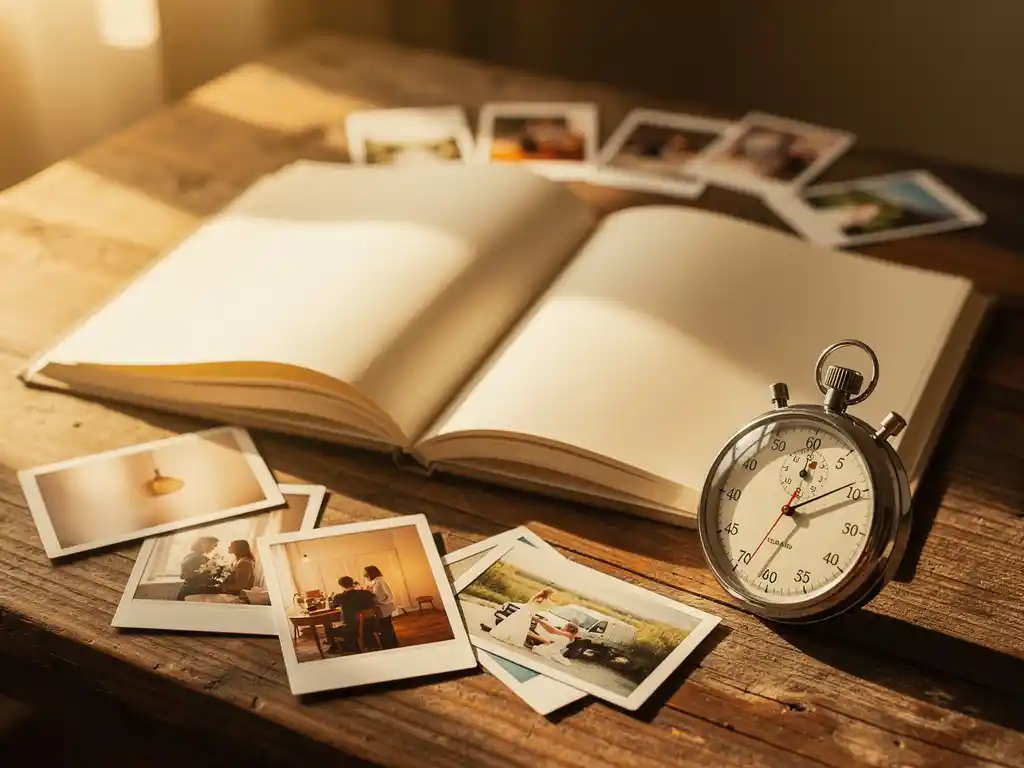
Yes, you really can create a photo book in about a minute. With PastBook, you can go from a camera roll full of scattered images to a finished photo book in minutes, without any design skills. With Facebook YearBook, a preview can be ready in about a minute. You choose a year, we do the layout, and you get a finished book ready to order.
Your photos are piling up, and you will never get around to organizing them
The average smartphone user takes hundreds of photos every month. Over a year, that becomes thousands of images sitting untouched in a camera roll, growing into an overwhelming archive that feels impossible to sort through. The longer you leave it, the harder it gets. Moments that felt vivid and important start to blur together, and the photos that were supposed to preserve them stay buried. The fix is not to find more time to organize everything by hand. It is to choose a tool that does the layout work for you, so the book gets made now, not someday.
Auf den “richtigen Zeitpunkt” zu warten, um ein Fotobuch zu erstellen, bedeutet, dass es nie gemacht wird
Most people who want to create a photo book never finish one. It is not because they lack the photos or the intention. They keep waiting for a free afternoon that never arrives. The traditional photo book process is time-consuming enough that it requires a real commitment of hours. When that commitment keeps getting pushed back, the project dies quietly. The answer is to lower the bar for what it takes to start. When the process takes minutes, there is no reason to wait. The photos from last summer’s vacation, your child’s first year, or last Christmas can become a finished book today.
Can you really make a photo book in minutes?
Yes. PastBook gives you two ways to make a photo book, and both are fast.
Mit Facebook YearBook, you connect your own Facebook account and choose a year. We select photos and lay them out into a book, and a preview can be ready in about a minute. Only the owner of a Facebook account can connect it.
With the PastBook App, you stay in control. You pick your own photos, or let the app help you find photos by trip, date range, location or album. The app then lays your selected photos out into a book.
The key is that the layout work is done for you. Traditional photo book tools require you to drag and drop photos onto blank pages, choose layouts, adjust sizing, and write captions one by one. With PastBook, the pages are built for you first. You are editing a finished book rather than building one from scratch, which is why the time drops so dramatically.
Before you order, you can change anything you like. You can swap or add photos, remove pages, change the cover and add captions.
How does PastBook create a photo book for you?
PastBook takes the photos you choose and arranges them into a designed page layout. You do not need to place a single photo by hand.
In the Facebook YearBook, you connect your own account and pick a year. We select photos from that year and lay them out into a book for you.
In the app, you make the decisions and the app assists you. You can select photos yourself, or use the app to find them by trip, date range, location or album. This makes it easy to gather the right photos for a holiday, a birthday or a whole year without scrolling through your camera roll for hours. Once you have chosen your photos, the app lays them out into pages.
You can then swap photos, add new ones, remove pages, change the cover or add captions. Many people find the first layout needs very little adjustment.
Was lässt ein Fotobuch mühelos gut aussehen?
A photo book looks good without effort when the photos are placed into layouts that suit them. A professionally designed page layout handles the spacing, margins and proportions that make photos look intentional rather than dropped onto a page. You do not need any design knowledge for the pages to look balanced.
Choosing fewer, better photos also makes a big difference. Most people include too many shots when they build a book manually because cutting feels like losing something. Picking your favorites for each trip or moment gives every page photos worth looking at.
The result feels personal and complete, like something that took weeks to make.
Wie lange dauert es eigentlich, ein traditionelles Fotobuch zu erstellen?
Ein traditionelles Fotobuch dauert in der Regel mehrere Stunden, und für viele Menschen erstreckt sich der Prozess über mehrere Sitzungen, die Tage oder Wochen dauern. Man beginnt mit der Fotoauswahl, geht dann zu Layout-Entscheidungen für jede Seite über, passt Größe und Position an, schreibt Bildunterschriften und überprüft das Ganze, bevor man bestellt. Jeder Schritt erfordert aktive Aufmerksamkeit.
The selection stage alone is where most people lose momentum. Going through hundreds or thousands of photos to find the right ones, then narrowing those down to fit a specific page count, is time-consuming.
Then there is the layout work. Blank-page editors require you to decide how many photos go on each page, which template to use, and how to arrange everything so it looks right. If you have never designed anything before, this is where frustration sets in. Small adjustments multiply quickly across a long book.
The gap between that and a book where the layout is done for you is not small. It is the difference between a project you keep postponing and one you finish today.
Wann ist die beste Zeit, um ein Fotobuch zu erstellen?
The best time to create a photo book is soon after the event or period you want to remember, while the photos are fresh and the memory is still vivid. Vacations, birthdays, a child’s first year, and annual milestones are all natural moments. The longer you wait, the harder it becomes to remember which photos matter and why.
Reisen ist einer der stärksten Auslöser. Sobald du von einer Reise nach Hause kommst, ist deine Kamera-Rolle voll mit den besten Fotos, die du von diesem Erlebnis machen wirst. Wenn du ein paar Monate wartest, werden diese Fotos unter allem begraben, was danach kommt, und die emotionale Verbindung zur Reise verblasst. Wenn du das Buch ein oder zwei Tage nach deiner Rückkehr erstellst, hältst du dieses Gefühl fest, bevor es vergeht.
The end of the year is another natural window. Looking back across 12 months of photos tends to bring back moments you had half-forgotten. A year-in-review photo book works well as both a personal keepsake and a gift.
Beyond specific occasions, the honest answer is that the best time is whenever you have the photos and the wish to make a book. When it only takes minutes, timing matters much less than it used to.
If you need your book for a gift by a specific date, we recommend ordering at least two weeks beforehand.
What do you need to create a photo book in minutes?
To create a photo book quickly, you need just a few things: your photos in the right place, and a decision about what time period or event you want to cover. No design skills and no blank afternoon required.
There are two places your photos can come from:
- Facebook YearBook: your own Facebook photos, through pastbook.com
- The PastBook app: photos from your phone’s camera roll, on iOS or Android
Choosing what to cover is the only real decision you make upfront. That might be a specific holiday, a year of family photos, a child’s first months, or a recent birthday. Once you define the scope, the layout is taken care of.
- Öffne das PastBook App and choose your photos, or connect your Facebook account on the website for a YearBook
- Select a date range, location, trip or specific album, or choose a year for your YearBook
- Let us lay out your book
- Überprüfen Sie die Vorschau und nehmen Sie beliebige Änderungen vor
- Choose your size, then place your order
Most people make a few small changes, but the book is already laid out when you see it.
How PastBook creates your photo book in minutes
We built PastBook to solve the problem of photos that never become anything. We turn your photos into a finished photo book in minutes, without design skills. Here is what that looks like in practice:
- Facebook YearBook: Connect your own Facebook account, choose a year, and we select photos and lay out your book. A preview can be ready in about a minute
- The PastBook app: You choose your photos, or let the app help you find them by trip, date range, location or album. The app then lays them out into a book
- Easy edits: Swap or add photos, remove pages, change the cover and add captions before you order
- Contribution: Friends and family can add photos to the same book with the Contribution feature in the app
- Printed and shipped to you: Your book is printed by a local printing partner and shipped to your door
- Verfügbar für iOS, Android und im Web: Beginne dort, wo sich deine Fotos befinden
Our hardcover photo books come in two sizes. The Small Hardcover (8.5″ × 6″) starts at $19.99, and the Large Hardcover (12″ × 8.5″) starts at $34.99. Both include the first 24 pages, and extra pages cost a little more. Shipping cost is shown at checkout.
Whether you want to preserve a family vacation, document a child’s first year, or create a personal gift, we make it easy to go from idea to finished book. Gestalten Sie noch heute Ihr Fotobuch mit PastBook und Ihre Erinnerungen in gedruckter Form sehen.
Verwandte Artikel
- How do you share travel memories with people who weren't there?
- When should you start compiling your birdwatching photos into a book?
- Memorialising the Facebook profile of someone who has passed away
- Wie hilft dir Geschichtenerzählen dabei, Reiseerinnerungen festzuhalten?
- Wie organisieren Sie Fotos, bevor Sie ein Fotobuch erstellen?