



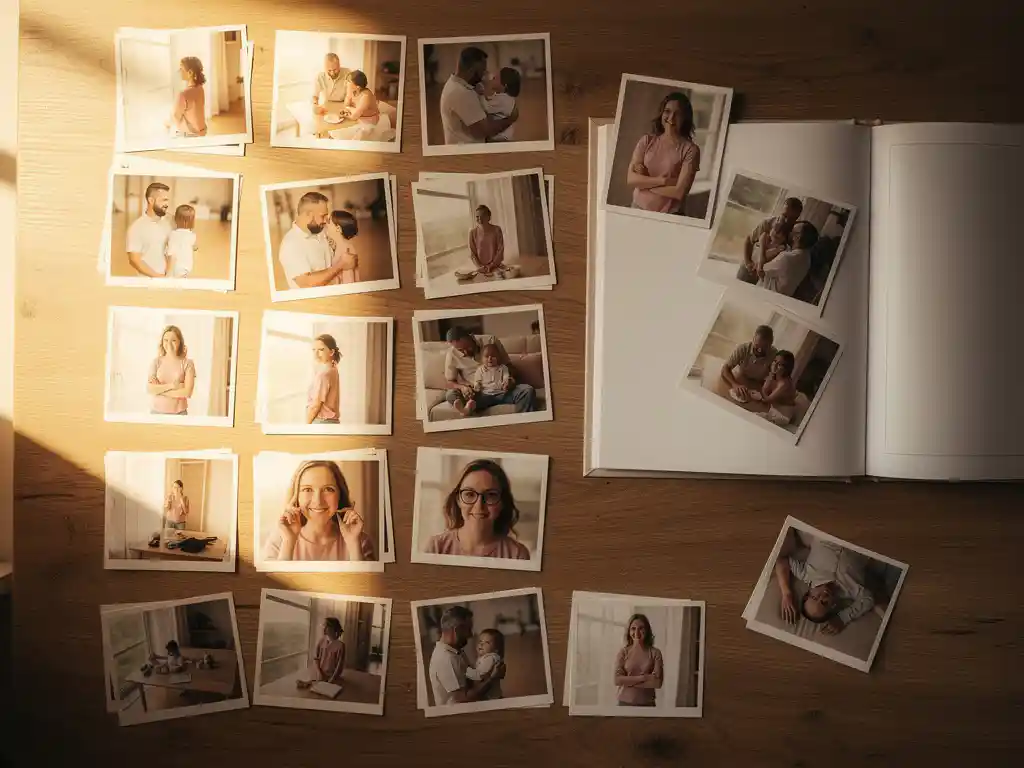
Om foto's te organiseren voordat je een fotoboek maakt, begin je met het verzamelen van al je afbeeldingen op één plek. Sorteer ze vervolgens op evenement of datum, verwijder duplicaten en foto's van lage kwaliteit, en beperk je selectie tot de beste 20 tot 60 afbeeldingen, afhankelijk van de lengte van je boek. Het creëren van een duidelijke structuur vooraf bespaart tijd en leidt tot een coherenter eindresultaat.
Ongeorganiseerde fotobibliotheken verknallen stilletjes uw herinneringen
Most people have hundreds or thousands of photos spread across their phone, cloud storage, and old social media accounts. When everything is mixed together with no clear order, the photos you actually care about get buried. The practical cost is real: when you finally sit down to create a photo book, you spend more time hunting through blurry shots and duplicates than you do enjoying the process. The fix is simple but requires a deliberate first step. Pick one place to gather your photos, such as your phone’s camera roll, and work from there. A contained, single-source library makes every step after that faster.
Elke foto bewaren, vermindert de kwaliteit van je album.
Het instinct om alles te bewaren voelt veilig, maar het werkt tegen je bij het maken van een fotoboek. Als je te veel vergelijkbare foto's opneemt, verliest het album zijn impact. De beste reisfoto's, mijlpaalmomenten en spontane familiekiekjes worden verwaterd door vrijwel identieke beelden die seconden na elkaar zijn genomen. fotoboek dat uw herinneringen bewaart with 30 well-chosen images tells a stronger story than one with 150 mediocre ones. Before you start laying out any pages, do one ruthless pass through your photos. Delete anything blurry, poorly lit, or duplicative of a better shot. What remains will be worth printing.
Wat is de beste manier om foto's te sorteren voordat je een fotoboek maakt?
De beste manier om foto's te sorteren voordat je een fotoboek maakt, is door alle relevante afbeeldingen in één map of album te verzamelen en ze vervolgens chronologisch of per gebeurtenis te rangschikken. Verwijder dubbele en wazige foto's tijdig. Probeer alleen de afbeeldingen te behouden die de momenten die je wilt bewaren duidelijk weergeven.
Een praktische sorteerworkflow ziet er als volgt uit:
- Verzamel alle foto's uit elke bron op één plek
- Voer een snelle eerste selectie uit om duidelijke afvallers te verwijderen: wazige, overbelichte of bijna identieke opnamen
- Groepeer de resterende foto's per evenement, reis of tijdsperiode
- Kies binnen elke groep de allerbeste versie van elk herhaald moment
- Bekijk uw definitieve selectie en bevestig dat deze een samenhangend verhaal van begin tot eind vertelt
Dit proces hoeft niet lang te duren. Zelfs een sorteersessie van 20 minuten voordat je begint met het samenstellen van je boek, zorgt ervoor dat de lay-out natuurlijk aanvoelt in plaats van geforceerd.
Hoeveel foto's moet je in een fotoboek opnemen?
Een standaard fotoboek werkt het beste met 20 tot 60 foto's voor een typische lay-out van 20 tot 40 pagina's. Minder foto's geven elke afbeelding meer ademruimte en visuele impact. Meer foto's kunnen werken voor langere boeken die langere periodes bestrijken, maar kwaliteit is altijd belangrijker dan kwantiteit.
Het juiste aantal is afhankelijk van het verhaal dat je vertelt. Een weekendtrip wordt goed geïllustreerd met 25 tot 35 sterke beelden. Een jaaroverzicht dat twaalf maanden beslaat, kan comfortabel 60 tot 80 foto's bevatten zonder vol aan te voelen, zeker als je ze per maand of seizoen groepeert.
Een goede vuistregel: als je jezelf afvraagt of een foto goed genoeg is om op te nemen, is dat waarschijnlijk niet zo. Elke afbeelding in je boek moet zijn plaats verdienen. Als je de twijfelachtige foto's verwijdert, krijgen de foto's die overblijven meer emotionele impact.
Hoe kies je de beste foto's uit honderden opnamen?
To choose the best photos from a large collection, look for three qualities: sharp focus, good lighting, and a clear subject. Prioritize photos where people are looking at the camera or are engaged in the moment. Remove any shot that has a near-identical duplicate, and keep only the strongest version.
Beyond technical quality, consider emotional resonance. A slightly imperfect photo of a real laugh often beats a technically perfect but flat portrait. When you are selecting for a photo book, you are curating a story, not a portfolio. Ask yourself whether each image adds something new to the narrative or simply repeats a moment already covered by another shot.
Als u met een grote batch werkt, helpt een methode met twee passes. In de eerste pas verwijdert u alles wat technisch slecht is. In de tweede pas past u het emotionele filter toe en verwijdert u alles wat niet bijdraagt aan het verhaal. De meeste mensen merken dat hun selectie na twee passes met 50 tot 70 procent daalt, wat precies is waar u wilt zijn.
Moet je foto's organiseren op datum, evenement of locatie?
Organizing photos by event is usually the most effective approach for a photo book because events have a natural beginning, middle, and end, creating a readable flow. Date-based organization works well for year-in-review books or monthly summaries. Location works best for travel books where geography is the main thread.
The right structure depends on what the book is about. If you are documenting a single trip, organizing by location or day makes sense. If you are creating a family year-in-review, organizing by event, such as a birthday, a holiday, or a milestone, gives each section a clear identity and makes the book easier to revisit.
Het combineren van structuren veroorzaakt vaak verwarring. Kies één organisatorisch principe en pas dit consequent toe in het hele boek. Als u twijfelt, is chronologische volgorde op datum van het evenement de veiligste standaard. Het weerspiegelt hoe het geheugen werkt en geeft het boek een natuurlijke voortgang die elke lezer kan volgen.
Wat is de makkelijkste manier om telefoonfoto's te organiseren voor een fotoboek?
The easiest way to organize phone photos for a photo book is to use your phone’s built-in albums or a photo app that groups images by date or location. Create a dedicated album for the photos you want to include, move your selected shots into it, and work from that curated set rather than from your full camera roll.
Most phones now include smart features that cluster photos by trip or event. These clusters are a useful starting point. You can review what the phone has grouped together, remove the shots that do not belong, and end up with a clean, ready-to-use selection without manually sorting through thousands of images.
Als je camerarol groot en ongeorganiseerd is, kun je met de zoekfunctie in de meeste foto-apps filteren op een datumbereik, locatie of zelfs onderwerp. Zoeken naar een specifieke maand of plaats kan de relevante afbeeldingen snel tevoorschijn halen, die je vervolgens kunt verplaatsen naar een speciaal album voordat je begint met het samenstellen van je boek.
How PastBook makes photo organization easier
Het handmatig sorteren van foto's kost tijd die de meeste mensen niet hebben. We hebben PastBook om die wrijving weg te nemen. You stay in control of your book, and the app helps with the rest. Here is what it does for you:
- Find photos your way: Pick your own photos from your phone’s camera roll, or let the app help you find them by trip, date range, location, or album.
- Automatic layout: Once you have chosen your photos, the app lays them out into a book for you, so you do not need any design skills.
- Aanpassing op jouw voorwaarden: Before you order, you can swap or add photos, remove pages, change the cover, and add captions.
- Contributions from others: With the Contribution feature, friends and family can add their photos to the same book.
Whether you are preserving a family holiday, documenting a year of milestones, or putting together a meaningful gift, PastBook turns an overwhelming camera roll into a beautifully designed hardcover photo book with minimal effort on your part. Download de PastBook app en maak vandaag nog je eerste fotoboek.