





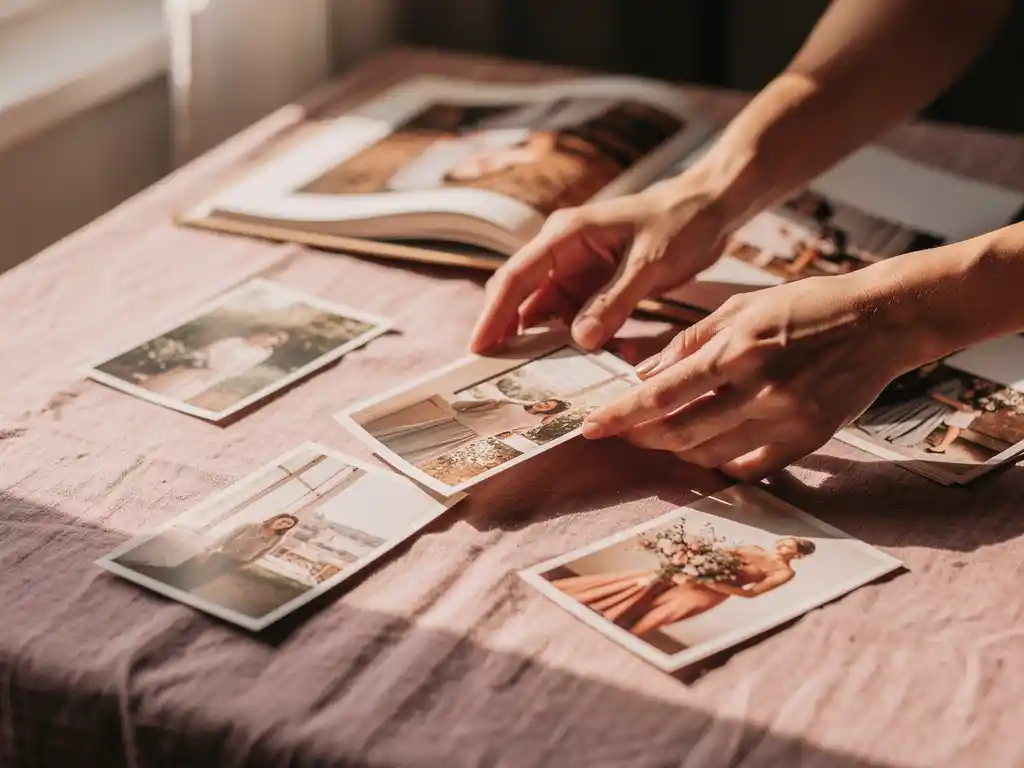
Choosing the best photos for a photo book comes down to three things: emotional impact, image quality, and variety. A strong photo book tells a story, so you want images that capture real moments, feature clear subjects, and cover different scenes rather than repeating the same shot. When you preserve your memories in a photo book, the selection process matters as much as the printing. The right photos make the difference between a book you treasure and one that sits on a shelf.
Selezionare foto a mano ti sta rubando tempo prezioso.
Most people sit down to create a photo book and immediately hit a wall: hundreds, sometimes thousands, of photos to sort through, with no obvious starting point. Hours pass. The project gets shelved. The holiday feeling fades, the milestone moment loses its urgency, and eventually the photos stay trapped on your phone. Manual selection is the single biggest reason people never finish a photo book they meant to make. The fix is to stop trying to review every photo and instead work with a clear set of rules for what stays and what goes: quality, variety, and story arc. Apply those filters first, then make final choices from a much smaller pool.
Conservare troppe foto simili sta silenziosamente rovinando il tuo fotolibro
The most common photo book mistake is including too many shots of the same moment: five nearly identical photos of someone blowing out birthday candles, three consecutive beach shots taken thirty seconds apart. Each photo feels worth keeping on its own, but together they create repetition that drains the energy from the whole book. The reader’s eye stops engaging. The solution is to treat each moment as a single slot. Pick one photo that best represents it, and cut the rest. This forces better choices and produces a tighter, more compelling final book.
Cosa rende una foto “abbastanza buona” per un fotolibro?
A photo is good enough for a photo book when it is technically clear, emotionally resonant, and tells you something about the moment. It should be in focus on the main subject, reasonably well lit, and free of heavy blur. Beyond technical quality, the photo needs to carry meaning, such as a real expression, a recognizable place, or a moment worth remembering.
Technical quality is the baseline. A blurry, dark, or heavily pixelated image will look worse in print than it does on a screen, because print removes the forgiveness of a backlit display. If you cannot recognize the subject clearly, the photo does not belong in the book.
Emotional quality is what separates a photo book from a slideshow. Candid moments, real expressions, and natural interactions tend to age better than posed group shots. A photo of a child laughing mid-run tells more of a story than a stiff smile at the camera. Both have a place, but the candid shots are usually the ones people return to.
Quante foto dovresti includere in un fotolibro?
Most photo books work best with between 60 and 120 photos. That gives you enough images to tell a full story without overcrowding pages or diluting the strongest shots. The right number depends on the event or time period you are covering, not on how many photos you took.
Un fine settimana fuori porta potrebbe essere ben documentato con 40 o 60 fotografie. Un anno intero di vita familiare potrebbe giustificarne 100 o più. Il principio guida è che ogni foto dovrebbe meritarsi il suo posto. Se ti ritrovi a includere uno scatto solo per riempire una pagina, è un segnale per tagliare invece di aggiungere.
Foto meno numerose e più efficaci producono costantemente un risultato migliore. Un fotolibro con 60 immagini scelte con cura risulta più intenzionale ed emotivo di uno con 200 immagini mediocri. La qualità supera sempre la quantità quando l'obiettivo è un libro che qualcuno vorrà effettivamente sfogliare.
Che tipo di foto funzionano meglio in un layout di fotolibro?
I fotolibri funzionano meglio con un mix di inquadrature ampie che stabiliscono la scena, primi piani di dettagli e foto di persone spontanee. Le inquadrature ampie impostano la scena e danno respiro al layout. I primi piani aggiungono texture e intimità. Le foto di persone spontanee portano il peso emotivo. Insieme, questi tre tipi creano un ritmo visivo attraverso le pagine.
Establishing shots, such as a landscape, a building, or a table set for a meal, anchor the reader in a time and place. They work particularly well as full-page or double-page spreads at the start of a section. Detail shots of objects, food, or textures add variety without needing a person in the frame. And photos of people in natural moments, not posed ones, tend to be the images readers come back to most.
Le foto di gruppo hanno il loro posto ma possono dominare un layout se usate eccessivamente. Mescolale con ritratti individuali e foto d'azione per mantenere le pagine dinamiche anziché statiche.
Come si possono ridurre centinaia di foto alle migliori?
Cut photos down to the best ones by working in two passes. In the first pass, remove anything technically poor: blurry, dark, or duplicate shots go immediately. In the second pass, apply a story filter. Keep only the photos that move the narrative forward or capture a moment that matters. This process typically reduces a large collection by 70 to 80 percent.
Start with a hard cull. Go through your full set and delete anything you would not stop to look at twice: eyes closed, wrong exposure, accidental shots, near-identical duplicates. Do not agonize at this stage. If a photo makes you hesitate, it probably does not belong.
Poi applica il filtro della storia. Elenca gli eventi o i momenti che vuoi coprire nel libro e assegna le foto a ciascuno. Ogni momento riceve una o due foto, non cinque. Se hai dieci scatti simili della stessa scena, scegli quello in cui la luce è migliore o l'espressione è più forte, e lascia perdere gli altri.
Questo approccio a due passaggi funziona perché separa le decisioni tecniche da quelle emotive. Non stai cercando di fare entrambe le cose contemporaneamente, il che rende ogni scelta più veloce e più sicura.
Dovresti mescolare foto in formato verticale e orizzontale in un fotolibro?
Sì, mescolare foto in formato verticale e orizzontale in un fotolibro non solo va bene, ma migliora attivamente l'impaginazione. La varietà di orientamento crea interesse visivo e impedisce alle pagine di sembrare monotone. La maggior parte delle impaginazioni dei fotolibri è progettata per accogliere entrambi gli orientamenti sulla stessa doppia pagina, quindi il mix raramente crea problemi tecnici.
La chiave è l'equilibrio. Una pagina composta interamente da foto verticali può risultare densa e verticale. Una pagina con soli scatti orizzontali può apparire larga e piatta. Quando combini le due, il layout crea naturalmente contrasto che attira l'occhio attraverso la pagina.
Dove l'orientamento conta davvero è per le immagini a pagina intera o eroiche. Una foto in orizzontale funziona meglio come impaginazione a tutta larghezza. Una foto in verticale funziona meglio come immagine verticale a pagina intera. Quando utilizzi una foto come immagine dominante in una pagina, abbina l'orientamento allo spazio del layout piuttosto che forzare un'inquadratura che tagli via parti importanti dell'immagine.
Quali sono gli errori più comuni nella scelta delle foto da evitare?
Gli errori più comuni nella selezione delle foto sono includere troppi scatti simili, conservare immagini tecnicamente scadenti per motivi sentimentali, trascurare la varietà di soggetti e angolazioni e cercare di includere tutto invece di selezionare le migliori. Ognuno di questi errori indebolisce il libro finale in modo diverso.
- Troppi duplicati: Selezionare cinque scatti quasi identici dello stesso momento diluisce l'impatto di ognuno. Scegli la versione migliore e scarta le altre.
- Conservare foto sfocate o scure: L'attaccamento sentimentale a un momento non compensa un'immagine tecnicamente scadente. Se la foto non è nitida, non verrà bene in stampa.
- Nessuna varietà di soggetto: Un libro pieno di foto di gruppo, o solo di foto panoramiche, perde rapidamente il ritmo visivo. Punta a un mix di persone, luoghi e dettagli.
- Incluso tutto: Più foto non significano un libro migliore. È l'editing che dà alle immagini più forti lo spazio che meritano.
- Ignorando l'arco narrativo: Un fotolibro dovrebbe avere un inizio, uno svolgimento e una fine. Selezionare le foto senza pensare alla sequenza produce una raccolta piuttosto che una storia.
L'abitudine più efficace in assoluto è essere spietati nella prima scrematura. Ogni foto che rimuovi dalla considerazione rende le scelte rimanenti più facili e il libro finale più forte.
How PastBook helps you build your photo book
Choosing the right photos is hard work, and most people either rush the process or abandon it entirely. That is why we built PastBook. You stay in control of the choices, and we make the rest simple, with no design skills needed.
- Find photos faster: In our app per creare splendidi fotolibri, you can select your own photos from your phone’s camera roll, or let the app help you find them by trip, date range, location, or album.
- Quick layout: Once you have chosen your photos, the app lays them out into a book for you.
- Full control before you order: You can swap or add photos, remove pages, change the cover, and add captions before ordering, so the final book is always yours.
- Print and delivery: Your finished hardcover book is printed by a local printing partner and shipped to you.
The result is a photo book that looks like you spent weeks on it, made in minutes. Download the PastBook app on iOS or Android and create your first photo book today.
Articoli Correlati
- How do you gift a large extended family without breaking the bank?
- What are the best Thanksgiving gifts for family members in 2026?
- Qual è il modo migliore per stampare le foto delle vacanze?
- Qual è il modo migliore per documentare i ricordi di viaggio nel 2026?
- Qual è il modo migliore per rivisitare ricordi di viaggio anni dopo?