




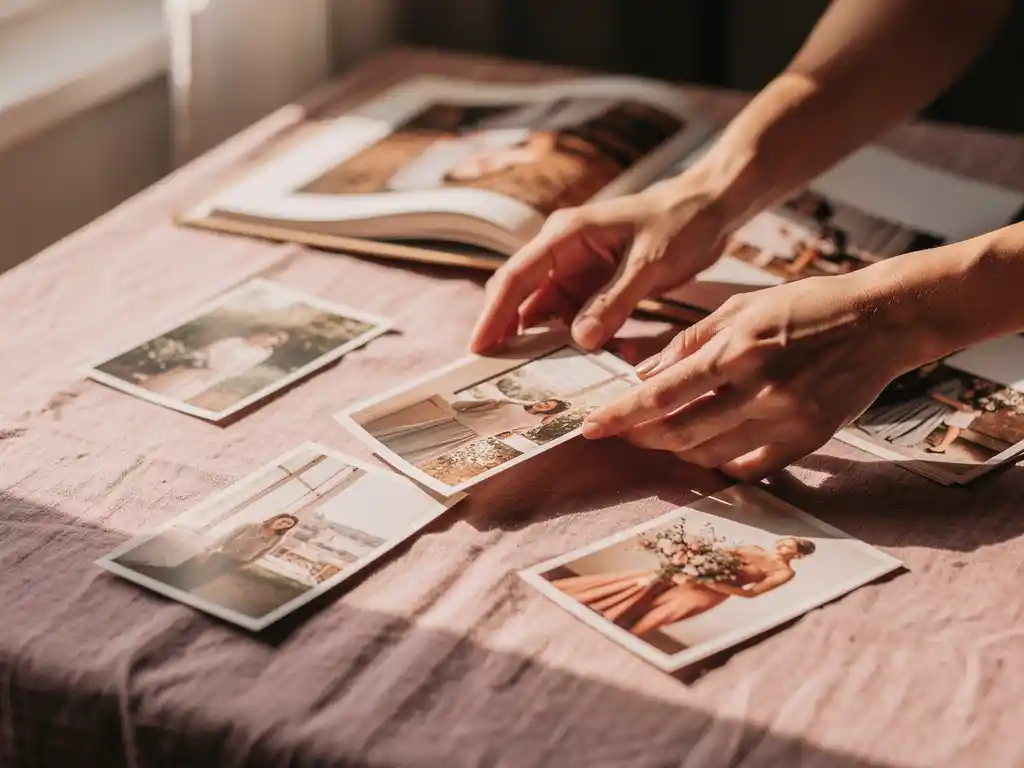
Choosing the best photos for a photo book comes down to three things: emotional impact, image quality, and variety. A strong photo book tells a story, so you want images that capture real moments, feature clear subjects, and cover different scenes rather than repeating the same shot. When you preserve your memories in a photo book, the selection process matters as much as the printing. The right photos make the difference between a book you treasure and one that sits on a shelf.
Foto's met de hand uitzoeken kost te veel tijd.
Most people sit down to create a photo book and immediately hit a wall: hundreds, sometimes thousands, of photos to sort through, with no obvious starting point. Hours pass. The project gets shelved. The holiday feeling fades, the milestone moment loses its urgency, and eventually the photos stay trapped on your phone. Manual selection is the single biggest reason people never finish a photo book they meant to make. The fix is to stop trying to review every photo and instead work with a clear set of rules for what stays and what goes: quality, variety, and story arc. Apply those filters first, then make final choices from a much smaller pool.
Te veel vergelijkbare foto's bewaren ruïneert stilletjes je fotoboek
The most common photo book mistake is including too many shots of the same moment: five nearly identical photos of someone blowing out birthday candles, three consecutive beach shots taken thirty seconds apart. Each photo feels worth keeping on its own, but together they create repetition that drains the energy from the whole book. The reader’s eye stops engaging. The solution is to treat each moment as a single slot. Pick one photo that best represents it, and cut the rest. This forces better choices and produces a tighter, more compelling final book.
Wat maakt een foto “goed genoeg” voor een fotoboek?
A photo is good enough for a photo book when it is technically clear, emotionally resonant, and tells you something about the moment. It should be in focus on the main subject, reasonably well lit, and free of heavy blur. Beyond technical quality, the photo needs to carry meaning, such as a real expression, a recognizable place, or a moment worth remembering.
Technical quality is the baseline. A blurry, dark, or heavily pixelated image will look worse in print than it does on a screen, because print removes the forgiveness of a backlit display. If you cannot recognize the subject clearly, the photo does not belong in the book.
Emotional quality is what separates a photo book from a slideshow. Candid moments, real expressions, and natural interactions tend to age better than posed group shots. A photo of a child laughing mid-run tells more of a story than a stiff smile at the camera. Both have a place, but the candid shots are usually the ones people return to.
Hoeveel foto's moet je in een fotoboek opnemen?
Most photo books work best with between 60 and 120 photos. That gives you enough images to tell a full story without overcrowding pages or diluting the strongest shots. The right number depends on the event or time period you are covering, not on how many photos you took.
Een weekendtrip kan goed worden gedekt met 40 tot 60 foto's. Een heel jaar gezinsleven kan 100 of meer rechtvaardigen. Het leidende principe is dat elke foto zijn plaats moet verdienen. Als u zichzelf betrapt op het toevoegen van een opname alleen om een pagina te vullen, is dat een signaal om te schrappen in plaats van uit te breiden.
Minder, sterkere foto's leveren consequent een beter resultaat op. Een fotoboek met 60 zorgvuldig gekozen beelden voelt doelgerichter en emotioneler aan dan een met 200 doorsnee exemplaren. Kwaliteit gaat altijd voor kwantiteit als het doel een boek is waar iemand echt doorheen wil bladeren.
Welke soorten foto's werken het beste in een fotoboekindeling?
Fotoboeken werken het best met een mix van brede establishing shots, close-up detailfoto's en spontane foto's van mensen. Brede shots zetten de scène en geven de lay-out ademruimte. Close-ups voegen textuur en intimiteit toe. Spontane foto's van mensen dragen het emotionele gewicht. Samen creëren deze drie soorten een visueel ritme op de pagina's.
Establishing shots, such as a landscape, a building, or a table set for a meal, anchor the reader in a time and place. They work particularly well as full-page or double-page spreads at the start of a section. Detail shots of objects, food, or textures add variety without needing a person in the frame. And photos of people in natural moments, not posed ones, tend to be the images readers come back to most.
Groepsfoto's hebben hun plaats, maar kunnen een lay-out overheersen als ze te veel worden gebruikt. Wissel ze af met individuele portretten en actiefoto's om de pagina's dynamisch in plaats van statisch te houden.
Hoe selecteer je uit honderden foto's de allerbeste?
Cut photos down to the best ones by working in two passes. In the first pass, remove anything technically poor: blurry, dark, or duplicate shots go immediately. In the second pass, apply a story filter. Keep only the photos that move the narrative forward or capture a moment that matters. This process typically reduces a large collection by 70 to 80 percent.
Start with a hard cull. Go through your full set and delete anything you would not stop to look at twice: eyes closed, wrong exposure, accidental shots, near-identical duplicates. Do not agonize at this stage. If a photo makes you hesitate, it probably does not belong.
Pas vervolgens de verhaal filter toe. Leg de gebeurtenissen of momenten uit die je wilt dat het boek behandelt, en wijs foto's toe aan elk ervan. Elk moment krijgt één of twee foto's, geen vijf. Als je tien vergelijkbare opnamen van dezelfde scène hebt, kies dan degene waar het licht het beste is of de uitdrukking het sterkst is, en laat de andere gaan.
Deze tweestapsaanpak werkt omdat het technische beslissingen scheidt van emotionele. Je probeert niet beide tegelijk te doen, wat elke keuze sneller en zelfverzekerder maakt.
Moet je portret- en landschapsfoto's mixen in een fotoboek?
Ja, het mixen van portret- en landschapsfoto's in een fotoboek is niet alleen prima, maar verbetert zelfs de lay-out. Variatie in oriëntatie zorgt voor visuele interesse en voorkomt dat pagina's monotoon aanvoelen. De meeste fotoboeklay-outs zijn ontworpen om beide oriëntaties op dezelfde spread te accommoderen, dus de mix levert zelden een technisch probleem op.
De sleutel is balans. Een pagina die uitsluitend uit staande foto's bestaat, kan dicht en verticaal aanvoelen. Een pagina met alleen liggende foto's kan breed en vlak aanvoelen. Wanneer je beide combineert, creëert de lay-out van nature contrast dat het oog over de pagina trekt.
Waar oriëntatie ertoe doet, is voor afbeeldingen van volledige pagina's of hero-afbeeldingen. Een landschapsfoto werkt beter als een brede strook. Een portretfoto werkt beter als een verticale afbeelding van een volledige pagina. Wanneer u een foto gebruikt als de dominante afbeelding op een pagina, stem de oriëntatie af op de lay-outruimte in plaats van een uitsnede te forceren die belangrijke delen van de afbeelding wegknipt.
Wat zijn de meest voorkomende fouten bij het selecteren van foto's die je moet vermijden?
De meest voorkomende fouten bij het selecteren van foto's zijn het opnemen van te veel vergelijkbare opnamen, het bewaren van technisch slechte afbeeldingen om sentimentele redenen, het verwaarlozen van variatie in onderwerp en hoek, en het proberen alles op te nemen in plaats van te kiezen voor de beste. Elk van deze fouten verzwakt het uiteindelijke boek op een andere manier.
- Te veel duplicaten: Het selecteren van vijf vrijwel identieke opnames van hetzelfde moment, ondermijnt de impact van elk ervan. Kies de beste versie en knip de rest weg.
- Schermafbeeldingen of donkere foto's bewaren: Sentimentele gehechtheid aan een moment herstelt geen technisch slechte foto. Als de foto niet scherp is, zal hij niet mooi uitkomen op drukwerk.
- Geen variatie in onderwerp: Een boek vol groepsfoto's, of alleen landschapsfoto's, verliest snel zijn visuele ritme. Streef naar een mix van mensen, plaatsen en details.
- Inclusief alles: Meer foto's betekent niet automatisch een beter boek. Redigeren is wat de sterkste beelden de ruimte geeft die ze verdienen.
- Het verhaalboog negerend: Een fotoboek moet een begin, een midden en een einde hebben. Foto's selecteren zonder na te denken over de volgorde levert een verzameling op in plaats van een verhaal.
De allerbeste gewoonte is om meedogenloos te zijn bij de eerste selectie. Elke foto die je uit de overweging verwijdert, maakt de resterende keuzes gemakkelijker en het uiteindelijke boek sterker.
How PastBook helps you build your photo book
Choosing the right photos is hard work, and most people either rush the process or abandon it entirely. That is why we built PastBook. You stay in control of the choices, and we make the rest simple, with no design skills needed.
- Find photos faster: In our app voor het maken van mooie fotoboeken, you can select your own photos from your phone’s camera roll, or let the app help you find them by trip, date range, location, or album.
- Quick layout: Once you have chosen your photos, the app lays them out into a book for you.
- Full control before you order: You can swap or add photos, remove pages, change the cover, and add captions before ordering, so the final book is always yours.
- Print and delivery: Your finished hardcover book is printed by a local printing partner and shipped to you.
The result is a photo book that looks like you spent weeks on it, made in minutes. Download the PastBook app on iOS or Android and create your first photo book today.