



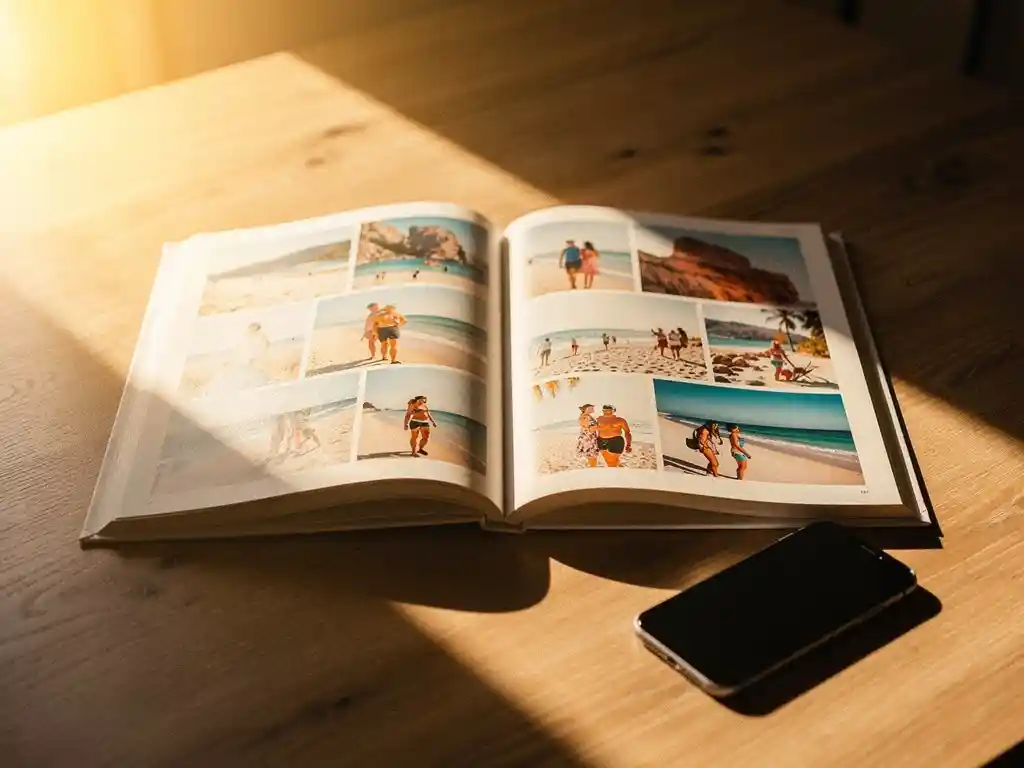
Il modo migliore per condividere le foto delle vacanze con la famiglia è combinare un metodo di condivisione cloud affidabile per la visualizzazione immediata con un fotolibro stampato come ricordo duraturo. La condivisione digitale permette a tutti di vedere le vostre immagini rapidamente, ma è un fotolibro fisico che fa sì che quei ricordi rimangano vivi per anni. Le sezioni seguenti illustrano le opzioni più pratiche e come scegliere tra di esse.
Quale metodo di condivisione delle foto mantiene davvero vivi i ricordi?
I metodi che mantengono vivi i ricordi delle vacanze più a lungo sono quelli che rendono le foto facili da rivedere, non solo facili da inviare. L'allegato di una chat di gruppo viene superato scorrendo in pochi minuti, mentre un album condiviso dedicato o un fotolibro stampato creano qualcosa a cui le persone tornano. Il formato conta tanto quanto le foto stesse.
Digital sharing is fast and convenient, but it relies on people actively seeking out the images again. Photos stored in messaging apps or camera rolls are rarely viewed after the first few days. Shared albums on platforms like Google Photos or iCloud give memories a more permanent home, but they still compete with every other notification on a phone screen.
A printed photo book, by contrast, sits on a shelf, gets pulled out at family gatherings, and gets handed to grandparents who may not use smartphones at all. It turns a collection of images into a story worth telling again and again. If you have ever come home from a trip and felt the holiday glow fade faster than you expected, a physical keepsake is a lovely way to hold onto it.
Quali sono le app più popolari per condividere le foto delle vacanze con la famiglia?
The most popular apps for sharing vacation photos with family are Google Photos, iCloud Shared Albums, and WhatsApp, each suited to slightly different needs. Google Photos offers generous storage and works across all devices. iCloud Shared Albums work seamlessly within the Apple ecosystem. WhatsApp is the easiest for immediate sharing but the weakest for long-term organization.
Google Foto
Google Photos allows you to create shared albums that any family member can view, add to, or comment on. It works on both Android and iOS, which makes it one of the most universally accessible options. The search function is powerful enough to find photos by location, date, or even the people in them, which is very useful when you are looking back at a trip taken two years ago.
Album condivisi di iCloud
Gli album condivisi di iCloud sono ideali quando tutti in famiglia usano un iPhone o un iPad. Puoi invitare i membri della famiglia a contribuire con i loro scatti dello stesso viaggio, il che significa catturare angolazioni e momenti che ti sei perso. La limitazione è che gli utenti Android sono in gran parte esclusi, rendendoli una scelta poco adatta per famiglie con dispositivi misti.
Come si fa a condividere le foto quando i membri della famiglia usano dispositivi diversi?
When family members use different devices, the most reliable solution is a platform-agnostic service that works through a web browser or has apps for both iOS and Android. Google Photos and Dropbox are strong choices here because they do not require everyone to use the same operating system or manufacturer.
È possibile accedere a un album Google Foto condiviso tramite un link, il che significa che anche i membri della famiglia che non possiedono un account Google possono visualizzare le foto in un browser. Dropbox funziona in modo simile, con link a cartelle condivise che chiunque può aprire senza scaricare un'app. Per le famiglie in cui alcuni membri hanno meno dimestichezza con la tecnologia, un semplice link condiviso inviato via email o messaggio è spesso l'approccio più pratico.
It is also worth noting that a shared photo book solves this problem in a different way. With our PastBook app, the Contribution feature lets friends and family add photos to the same book, so everyone’s shots end up in one place.
Dovresti condividere le foto delle vacanze online o in un album fotografico stampato?
Dovresti fare entrambe le cose, ma per scopi diversi. La condivisione online è ideale per la distribuzione immediata e la consultazione occasionale. Un fotolibro stampato è la scelta migliore quando l'obiettivo è preservare il viaggio come un ricordo significativo e duraturo o da regalare come regalo fotolibro a chi ha fatto parte del viaggio.
Digital albums are free, instant, and easy to update. They are ideal for sharing hundreds of photos quickly after you land. But the sheer volume of images in a digital album can work against the memory. When everything is saved, nothing feels curated or special.
A printed photo book invites a kind of editing that digital sharing does not. The best images are selected, arranged in sequence, and presented in a way that tells the story of the trip from beginning to end. For families who want to look back on a holiday together, a printed book is a more regalo memorabile and a more lasting record.
Come puoi trasformare le foto delle vacanze in un album fotografico di famiglia condiviso?
You can turn vacation photos into a shared family photo book with the PastBook app. You choose the photos from your phone, and the app helps you find them by trip, date range, location, or album. Then it lays them out into a book for you. You stay in control of which photos go in.
The key steps are simple:
- Open the PastBook app and choose the photos from your trip, or let the app help you find them by date range, location, or album
- Use the Contribution feature to invite family members to add their own photos to the same book
- Let the app lay your selected photos out into a book
- Change anything you like: swap or add photos, remove pages, change the cover, and add captions
- Order your hardcover photo book, which is printed by a local printing partner and shipped to you
The Contribution feature is especially valuable for family trips where different people captured different moments. A photo of the group at dinner, a candid shot taken by a sibling, a landscape photo from an early morning walk – these all come together in a single book that reflects the whole trip rather than just one person’s perspective. The result is something far richer than any single camera roll could produce on its own.
Come PastBook ti aiuta a conservare i ricordi delle vacanze
We built PastBook to help you rediscover the moments from your trips and keep them safe, instead of leaving them buried on your phone. You can turn your vacation photos into a finished hardcover photo book in minutes, with no design skills needed. No blank pages, no complicated layout work.
Here is what makes PastBook a simple way to turn a holiday into a lasting keepsake:
- Your phone photos: Pick photos from your phone’s camera roll on iOS or Android, and let the app help you find them by trip, date range, location, or album
- You stay in control: Before you order, you can swap or add photos, remove pages, change the cover, and add captions
- Funzione contributo: Invite family members to add their photos so the finished book captures everyone’s view of the trip
- Quality hardcover books: Our landscape hardcover books are made with FSC-certified paper and recyclable packaging, and they are printed by a local printing partner and shipped to you
- Gifting made easy: A book of ricordi di vacanza is a gift that people treasure
Ready to turn your last trip into something you will love looking at again? Create your photo book with the App PastBook today and go from camera roll to printed keepsake in minutes.