



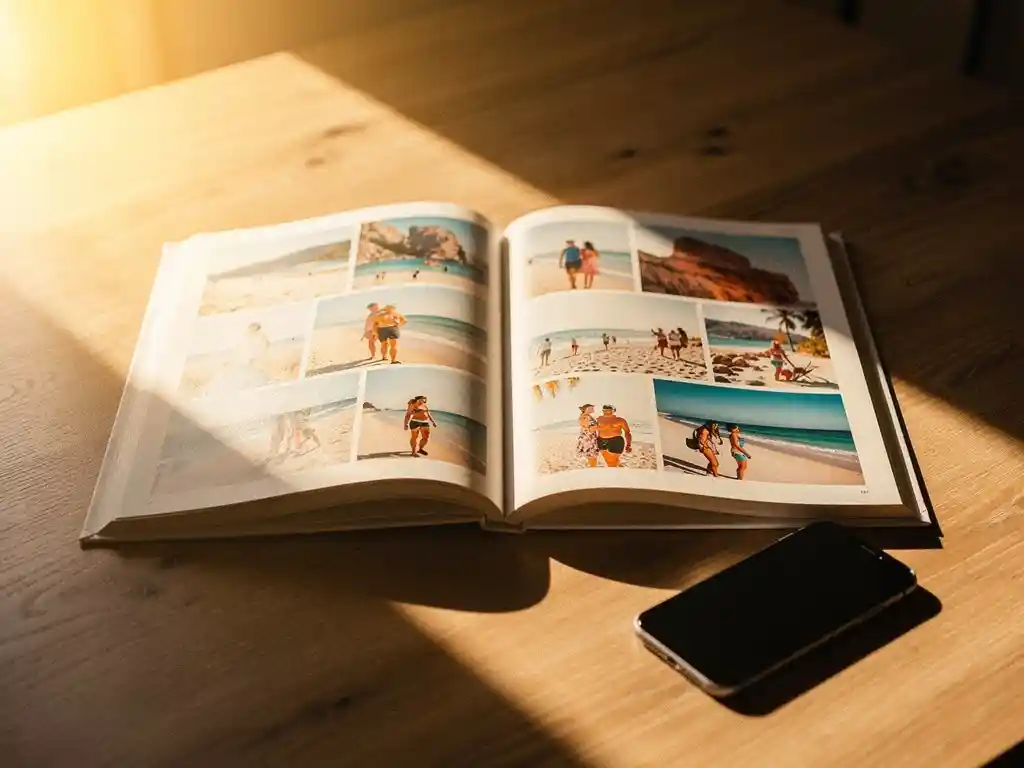
Der beste Weg, Urlaubsfotos mit der Familie zu teilen, besteht darin, eine zuverlässige Cloud-Sharing-Methode für die sofortige Ansicht mit einem gedruckten Fotobuch als bleibender Erinnerung zu kombinieren. Das digitale Teilen bringt Ihre Bilder schnell zu allen, aber ein physisches Fotobuch ist das, was diese Erinnerungen jahrelang lebendig hält. Die folgenden Abschnitte gehen auf die praktischsten Optionen ein und zeigen, wie man zwischen ihnen wählt.
Welche Methode zum Teilen von Fotos hält Erinnerungen tatsächlich lebendig?
Die Methoden, die Urlaubserinnerungen am längsten lebendig halten, sind diejenigen, bei denen Fotos leicht wieder anzusehen und nicht nur leicht zu versenden sind. An einem Anhang in einem Gruppenchat scrollt man in wenigen Minuten vorbei, während ein dediziertes geteiltes Album oder ein gedrucktes Fotobuch etwas schaffen, zu dem die Leute zurückkehren. Das Format ist genauso wichtig wie die Fotos selbst.
Digital sharing is fast and convenient, but it relies on people actively seeking out the images again. Photos stored in messaging apps or camera rolls are rarely viewed after the first few days. Shared albums on platforms like Google Photos or iCloud give memories a more permanent home, but they still compete with every other notification on a phone screen.
A printed photo book, by contrast, sits on a shelf, gets pulled out at family gatherings, and gets handed to grandparents who may not use smartphones at all. It turns a collection of images into a story worth telling again and again. If you have ever come home from a trip and felt the holiday glow fade faster than you expected, a physical keepsake is a lovely way to hold onto it.
Was sind die beliebtesten Apps zum Teilen von Urlaubsfotos mit der Familie?
The most popular apps for sharing vacation photos with family are Google Photos, iCloud Shared Albums, and WhatsApp, each suited to slightly different needs. Google Photos offers generous storage and works across all devices. iCloud Shared Albums work seamlessly within the Apple ecosystem. WhatsApp is the easiest for immediate sharing but the weakest for long-term organization.
Google Fotos
Google Photos allows you to create shared albums that any family member can view, add to, or comment on. It works on both Android and iOS, which makes it one of the most universally accessible options. The search function is powerful enough to find photos by location, date, or even the people in them, which is very useful when you are looking back at a trip taken two years ago.
iCloud-Geteilte Alben
Geteilte iCloud-Alben sind ideal, wenn alle Familienmitglieder ein iPhone oder iPad nutzen. Sie können Familienmitglieder einladen, ihre eigenen Aufnahmen von derselben Reise beizusteuern, wodurch Sie Blickwinkel und Momente festhalten, die Sie selbst verpasst haben. Die Einschränkung besteht darin, dass Android-Nutzer weitgehend ausgeschlossen sind, was sie zu einer schlechten Wahl für Familien mit unterschiedlichen Geräten macht.
Wie teilt man Fotos, wenn Familienmitglieder verschiedene Geräte nutzen?
When family members use different devices, the most reliable solution is a platform-agnostic service that works through a web browser or has apps for both iOS and Android. Google Photos and Dropbox are strong choices here because they do not require everyone to use the same operating system or manufacturer.
Ein geteiltes Google Fotos-Album ist über einen Link zugänglich, was bedeutet, dass selbst Familienmitglieder, die kein Google-Konto haben, die Fotos in einem Browser ansehen können. Dropbox funktioniert ähnlich mit Links zu freigegebenen Ordnern, die jeder öffnen kann, ohne eine App herunterzuladen. Für Familien, bei denen einige Mitglieder weniger technisch versiert sind, ist ein einfacher Freigabelink, der per E-Mail oder Textnachricht gesendet wird, oft der praktischste Ansatz.
It is also worth noting that a shared photo book solves this problem in a different way. With our PastBook app, the Contribution feature lets friends and family add photos to the same book, so everyone’s shots end up in one place.
Sollte man Urlaubsfotos online oder als gedrucktes Fotobuch teilen?
Sie sollten beides tun, aber für unterschiedliche Zwecke. Das Online-Teilen eignet sich am besten für die sofortige Verbreitung und das gelegentliche Betrachten. Ein gedrucktes Fotobuch ist die bessere Wahl, wenn das Ziel darin besteht, die Reise als bedeutungsvolle, bleibende Erinnerung zu bewahren oder zu verschenken Fotobuch Geschenk an jemanden, der Teil der Reise war.
Digital albums are free, instant, and easy to update. They are ideal for sharing hundreds of photos quickly after you land. But the sheer volume of images in a digital album can work against the memory. When everything is saved, nothing feels curated or special.
A printed photo book invites a kind of editing that digital sharing does not. The best images are selected, arranged in sequence, and presented in a way that tells the story of the trip from beginning to end. For families who want to look back on a holiday together, a printed book is a more unvergessliches Geschenk and a more lasting record.
Wie kann man Urlaubsfotos in ein gemeinsames Familienfotobuch verwandeln?
You can turn vacation photos into a shared family photo book with the PastBook app. You choose the photos from your phone, and the app helps you find them by trip, date range, location, or album. Then it lays them out into a book for you. You stay in control of which photos go in.
The key steps are simple:
- Open the PastBook app and choose the photos from your trip, or let the app help you find them by date range, location, or album
- Use the Contribution feature to invite family members to add their own photos to the same book
- Let the app lay your selected photos out into a book
- Change anything you like: swap or add photos, remove pages, change the cover, and add captions
- Order your hardcover photo book, which is printed by a local printing partner and shipped to you
The Contribution feature is especially valuable for family trips where different people captured different moments. A photo of the group at dinner, a candid shot taken by a sibling, a landscape photo from an early morning walk – these all come together in a single book that reflects the whole trip rather than just one person’s perspective. The result is something far richer than any single camera roll could produce on its own.
Wie PastBook Ihnen hilft, Urlaubserinnerungen zu bewahren
We built PastBook to help you rediscover the moments from your trips and keep them safe, instead of leaving them buried on your phone. You can turn your vacation photos into a finished hardcover photo book in minutes, with no design skills needed. No blank pages, no complicated layout work.
Here is what makes PastBook a simple way to turn a holiday into a lasting keepsake:
- Your phone photos: Pick photos from your phone’s camera roll on iOS or Android, and let the app help you find them by trip, date range, location, or album
- You stay in control: Before you order, you can swap or add photos, remove pages, change the cover, and add captions
- Beitragsfunktion: Invite family members to add their photos so the finished book captures everyone’s view of the trip
- Quality hardcover books: Our landscape hardcover books are made with FSC-certified paper and recyclable packaging, and they are printed by a local printing partner and shipped to you
- Gifting made easy: A book of Urlaubserinnerungen is a gift that people treasure
Ready to turn your last trip into something you will love looking at again? Create your photo book with the PastBook App today and go from camera roll to printed keepsake in minutes.